
Comcast.net Email Login (Xfinity) – Access, Setup, Recovery and Fix
Comcast.net email and Xfinity email are the same webmail service viewed from two different login doors, and that overlap is exactly what confuses most people trying to sign in.
This is how to log in, how to set up a new account, how to fix the most common sign-in errors, how to reset a forgotten password, and how to recover an account that’s been locked, hacked, or lost to an old device.
How to Log In to Comcast.net / Xfinity Email
Logging in takes only a few steps once you know which credentials to use. Here’s the standard path:
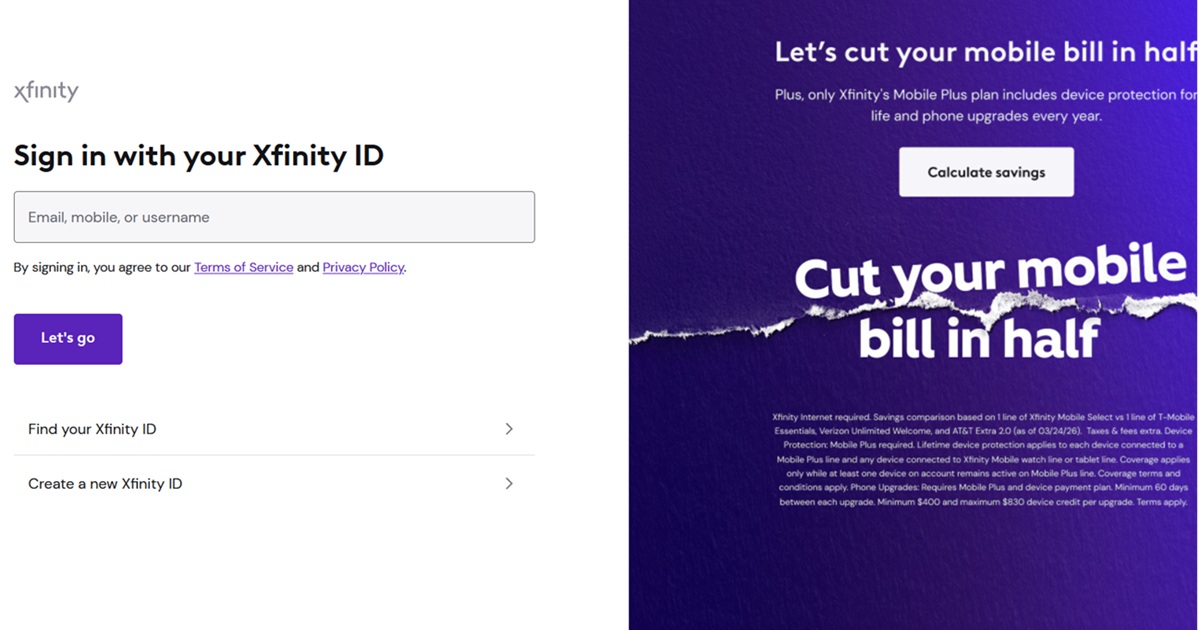
- Go to the official Xfinity Email sign-in page at xfinity.com/email.
- Enter your Xfinity ID — this can be your @comcast.net email address, a secondary username, or the mobile number tied to your account.
- Enter your Xfinity account password (this is not necessarily the same as your WiFi password).
- Complete any two-step verification prompt if it appears, usually a text code sent to your phone.
- Click “Sign In” to land in your inbox.
If you’re already signed in to another Xfinity service (like billing or the Xfinity app) on the same browser, the email portal will often log you in automatically without asking for a password again.
What Is the Difference Between Comcast Email and Xfinity Email?
There is no functional difference between Comcast email and Xfinity email — they are the same inbox, the same servers, and the same login credentials. “Comcast” is the name of the parent corporation, while “Xfinity” is the consumer brand Comcast uses for its internet, TV, and email services, so an @comcast.net address and an Xfinity Email account are identical in practice.
The naming difference mostly shows up in branding and login pages. Older customers may still say “Comcast email” out of habit, while newer marketing and the current login portal almost always use the “Xfinity Email” name, but both terms point to the exact same @comcast.net mailbox.
| Feature | Comcast Email | Xfinity Email |
| Email domain | @comcast.net | @comcast.net |
| Login portal | xfinity.com/email | xfinity.com/email |
| Account credentials | Xfinity ID / password | Xfinity ID / password |
| Underlying service | Same servers | Same servers |
How to Sign Up for a New Comcast.net / Xfinity Email Account
A new @comcast.net email address is only available to active Xfinity internet, TV, or home phone customers — it is not possible to create a comcast.net address without an active Xfinity service. To set one up:
- Sign in to your primary Xfinity account at xfinity.com using the account holder’s credentials.
- Go to the “Users and Preferences” or “Manage Users” section of your account.
- Select “Add a New User” to create either a full account holder or a restricted email-only user.
- Choose an available @comcast.net username and set a password for that new user.
- The new email address becomes active immediately and can log in at xfinity.com/email.
Sign-In Troubleshooting: Common Problems and Fixes
“Incorrect Xfinity ID or Password” Error
This usually means the wrong username format is being used — try the full @comcast.net address instead of just the username, or vice versa. Also check that Caps Lock is off, since Xfinity passwords are case-sensitive.
Page Stuck Loading or Won’t Submit
Clear the browser’s cache and cookies for xfinity.com, or try signing in from an incognito/private window. Browser extensions like ad blockers or password managers can sometimes interfere with the login form.
Stuck in a Login Loop
A login loop (where the page keeps returning to the sign-in screen) is almost always caused by outdated cookies or a browser that’s blocking third-party cookies. Switching browsers or fully clearing site data for xfinity.com typically resolves it.
Two-Factor Code Never Arrives
Confirm the phone number on file is current under account security settings, since the code can only be texted to the number Xfinity has stored. If texts aren’t arriving, try the “call me instead” option to receive the code by voice.
How to Reset Your Comcast.net / Xfinity Email Password
- Go to the Xfinity sign-in page and click “Having trouble signing in?” below the password field.
- Enter your Xfinity ID, full comcast.net email address, or the mobile number linked to the account.
- Choose how to receive your verification code: text message, phone call, or a secondary email address.
- Enter the code you receive to confirm your identity.
- Create a new password that meets Xfinity’s requirements (typically 8+ characters with a mix of letters, numbers, and symbols).
Once reset, the new password applies across all Xfinity services tied to that ID, including billing, the Xfinity app, and email — not just the inbox.
How to Recover a Lost or Locked Comcast.net / Xfinity Account
Account recovery is a bit more involved than a simple password reset and is needed when you no longer have access to the phone number or recovery email on file. Xfinity offers a few paths depending on the situation:
- No access to phone or recovery email: Use the “Try another way” option during password reset, which allows identity verification through security questions or account details like the billing address and account number.
- Account suspected of being hacked: Contact Xfinity support directly by phone or chat and request an account security review; they can lock the account, verify ownership, and issue new credentials.
- Primary account holder is unavailable: Only the primary account holder (or someone with documented authorized-user status) can recover admin-level access; secondary email-only users cannot reset the primary holder’s credentials.
- Moved or canceled service: A comcast.net email address tied to a fully canceled account is typically deactivated after a grace period, so recovery must happen before that window closes.
Frequently Asked Questions
Is Comcast email the same as Xfinity email?
Yes, Comcast email and Xfinity email refer to the exact same @comcast.net inbox and login system. “Comcast” is simply the parent company name, while “Xfinity” is the consumer-facing brand used on the current login page.
Where do I log in to my Comcast.net email?
You can log in to Comcast.net email at xfinity.com/email using your Xfinity ID and password. The same credentials also work at the main xfinity.com portal and the Xfinity app.
What is my Xfinity ID?
Your Xfinity ID is the username you created when setting up your Xfinity account, and it can be your full @comcast.net email address, a custom username, or a linked mobile number. If you’re unsure which one you used, try your comcast.net email address first since it works for most accounts.
Can I create a new comcast.net email without Xfinity internet service?
No, a new @comcast.net email address can only be created by an active Xfinity internet, TV, or phone customer. Comcast does not offer standalone email sign-ups for people without an active service plan.
Why does my Xfinity email say incorrect password when I know it’s right?
This is usually caused by Caps Lock being on, a saved autofill password that’s outdated, or entering the username in the wrong format. Try typing the password manually and using your full comcast.net address as the ID before assuming the password itself is wrong.
How do I reset my Xfinity email password?
Click “Having trouble signing in?” on the Xfinity login page, then verify your identity through a text, call, or secondary email. Once verified, you can set a new password that immediately applies across all Xfinity services.
What do I do if I forgot both my Xfinity ID and password?
Select “Forgot your Xfinity ID or password?” on the sign-in page and enter your registered mobile number, comcast.net address, or account number instead. Xfinity will send a verification code that lets you recover your ID and reset your password in the same session.
Why am I stuck in a login loop on Xfinity email?
A login loop is typically caused by outdated browser cookies or third-party cookie blocking that prevents the session from saving properly. Clearing your browser’s cache and cookies for xfinity.com, or trying a different browser, usually fixes it.
Can I access Xfinity email without an internet subscription?
Existing comcast.net email addresses generally remain accessible for a limited grace period after service cancellation, but access is not guaranteed indefinitely. Comcast has changed this policy over time, so it’s best to confirm current terms directly with Xfinity support if your service has ended.
How many email addresses can I have on one Xfinity account?
Xfinity accounts typically allow up to seven usernames per account, which can include the primary holder plus several secondary users. Each username can have its own separate comcast.net email address and inbox.
Can a secondary user reset the primary account holder’s password?
No, only the primary account holder can reset their own password using account-level verification like billing details or the account PIN. Secondary or restricted users don’t have permission to modify the primary holder’s login credentials.
Why isn’t my two-factor authentication code arriving?
This usually happens when the phone number on file is outdated or the message is being filtered by your carrier. Check your account’s security settings for the correct number, or choose the “call me” option to receive the code by voice instead.
Is Xfinity Connect the same as Xfinity Email?
Xfinity Connect was the older name for the webmail portal, which has since been rebranded simply as Xfinity Email. Both names point to the same comcast.net inbox and login system.
Can I use Gmail or Outlook to access my comcast.net email?
Yes, comcast.net email supports IMAP and SMTP, so it can be added to third-party apps like Gmail, Outlook, or Apple Mail. You’ll need the correct incoming and outgoing server settings, which Xfinity support provides for each app.
What are the IMAP settings for comcast.net email?
The incoming IMAP server is imap.comcast.net on port 993 with SSL, and the outgoing SMTP server is smtp.comcast.net on port 587 with TLS. Your username is your full comcast.net address and your password is your Xfinity account password.
Why did my Xfinity email suddenly stop syncing on my phone?
This is often caused by an expired app password or a security setting change on the account that requires re-authentication. Removing the email account from your phone and re-adding it with a fresh sign-in usually restores syncing.
How do I know if my Xfinity email account has been hacked?
Warning signs include sent emails you didn’t write, a changed password or recovery number you didn’t set, and contacts reporting spam from your address. If you notice any of these, change your password immediately and contact Xfinity support to review account activity.
What should I do if my Xfinity email was hacked?
Reset your password right away from a secure device and check your account’s security settings for any unfamiliar recovery email or phone number. Contact Xfinity support directly so they can lock down the account and help confirm no other settings were changed.
Can I change my comcast.net email address to a new username?
Yes, the primary account holder can add a new username under “Manage Users” while keeping the account itself intact. However, changing usernames usually requires creating a new address rather than renaming the existing one directly.
What happens to my comcast.net email if I cancel Xfinity service?
Comcast has offered a “read-only” or limited grace period for canceled accounts in the past, though policies on this have shifted over time. It’s best to download or forward any important emails before canceling service, since access isn’t guaranteed to continue indefinitely.
Why does Xfinity email keep logging me out?
Frequent logouts are often tied to browser privacy settings that clear cookies automatically, or a security setting requiring re-verification after a period of inactivity. Enabling “remember me” at sign-in, when available, can help keep the session active longer.
Can I recover permanently deleted emails from Xfinity email?
Recently deleted emails are usually recoverable from the Trash folder for a limited time before they’re permanently purged. Once permanently deleted past that window, Xfinity generally cannot restore individual emails, so it’s worth checking Trash immediately after an accidental deletion.
Why is my Xfinity email inbox not loading new messages?
This is commonly a browser caching issue or a temporary server-side delay rather than a problem with your account. Try refreshing with a hard reload, clearing your cache, or checking the Xfinity status page for any reported outages.
Does Xfinity email have a spam or junk folder?
Yes, Xfinity email automatically filters suspected spam into a Spam folder that’s separate from the main inbox. You can review, release, or permanently delete messages from that folder at any time.
How much storage does a comcast.net email account have?
Comcast.net email accounts generally include several gigabytes of storage, though the exact limit can vary by account type and has changed over the years. Checking your account’s storage meter directly in the webmail settings gives the most accurate current figure.
Can I set up an away message or auto-reply in Xfinity email?
Yes, Xfinity Email includes a vacation or auto-reply feature found in the mail settings menu. You can set a custom message along with start and end dates for it to run automatically.
Why can’t I send emails from Xfinity email even though I can receive them?
This often points to an outgoing server (SMTP) misconfiguration if you’re using a third-party mail app, or a temporary sending limit if done through webmail directly. Double-check the SMTP port and authentication settings, or try sending directly from xfinity.com/email to isolate the issue.
Is there a mobile app for Xfinity email?
Xfinity email can be accessed through the Xfinity app or by adding your comcast.net address to any standard mail app like the built-in iPhone or Android mail client. There isn’t a dedicated standalone Xfinity Email-only app separate from these options.
What do I do if Xfinity email says my account is locked?
An account lock is usually a security measure triggered by repeated failed login attempts or suspicious activity. Wait the specified lockout period shown on screen, or contact Xfinity support directly if the lock doesn’t clear on its own.
Can I merge two Xfinity email accounts into one?
Xfinity does not offer a direct way to merge two separate email accounts or inboxes together. The best workaround is to set up mail forwarding from the old address to the one you want to keep using going forward.
How do I contact Xfinity support for email login issues?
You can reach Xfinity support through live chat on xfinity.com, by phone, or through the Xfinity app’s support section. Having your account number or registered phone number ready speeds up identity verification during the call.
Why does my browser say the Xfinity login page isn’t secure?
This warning is usually caused by an outdated browser, a bookmarked link that no longer matches the current secure URL, or a network issue rather than an actual problem with Xfinity’s site. Always type xfinity.com/email directly or use an updated bookmark rather than clicking links from emails or search ads.
Can I use my comcast.net email if I move to a different state?
Yes, your comcast.net email address stays active as long as your Xfinity account remains in good standing, regardless of which state you live in. If you transfer service to a new address within Xfinity’s coverage area, your email typically carries over automatically.