
Charter.net Email FAQ: Login, Settings, IMAP
Charter Email & Spectrum Webmail: The Ultimate FAQ
Updated: A detailed guide to Charter.net login, server settings, and troubleshooting for legacy account holders.
Section 1: Login and General Access
What is the official Charter Email Login page?
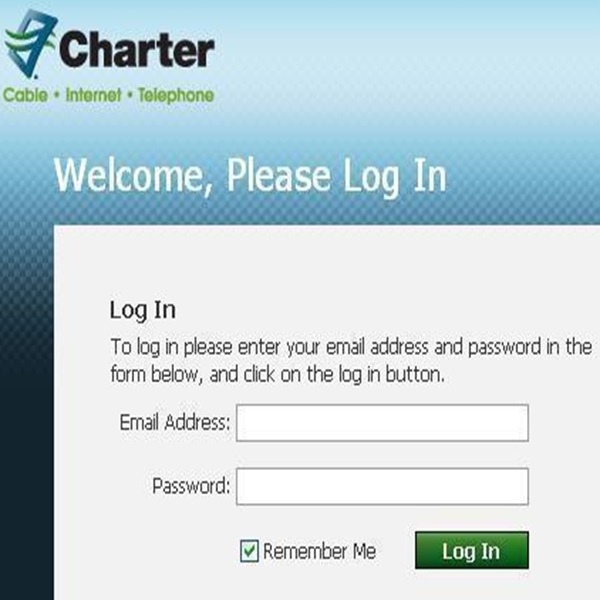
The official login for all Charter.net users has been consolidated into the Spectrum brand. To access your mail, you should visit webmail.spectrum.net or the main Spectrum.net home page and click the “Email” icon. While old Charter bookmarks might still work via redirect, using the direct Spectrum link is the most secure way to ensure your credentials aren’t intercepted by outdated relay sites.
Why does charter.net redirect to spectrum.net when I try to log in?
This redirection isn’t a glitch; it is the result of Charter Communications acquiring Time Warner Cable and Bright House Networks to form the Spectrum brand. As part of this merger, all legacy email portals were unified under a single authentication system to streamline security and maintenance. When you see the Spectrum logo, rest assured your @charter.net credentials will still work perfectly within that interface.
Is mail.charter.net an active email address in 2026?
Yes, @charter.net remains an active and functional domain for millions of legacy users who created their accounts years ago. However, the “mail.charter.net” prefix is now primarily used as a server address rather than a web portal. You can still send and receive mail from this address, but you must manage it through the Spectrum-branded webmail client or a third-party app.
Can I get a new Charter.net email address today?
Unfortunately, Spectrum officially stopped offering new email addresses to new subscribers several years ago to focus on their core internet and mobile services. If you are a new customer in 2026, you will need to use a third-party provider like Gmail, Outlook, or ProtonMail. Only legacy customers who already have an existing @charter.net, @rr.com, or @twc.com address are permitted to keep and use their accounts.
How do I check my Charter email account from my phone?
To check your email on the go, you have two main options: using your mobile browser or adding the account to a mail app. Navigating to the mobile version of the Spectrum webmail site is quick, but most users find it much more efficient to integrate Charter into the native iOS or Android mail apps. By using the IMAP settings, your folders and “read” status will stay perfectly synchronized between your phone and your desktop.
What is the Charter business email login page?
Charter Business (now Spectrum Business) users have a dedicated portal separate from residential customers. You can log in at spectrumbusiness.net to access the business-class webmail suite and administrative tools. This portal allows for different permission levels and account management features that aren’t available on the standard residential login page.
Can I keep my Charter email address if I cancel my Spectrum internet?
Technically, Charter/Spectrum email accounts are tied to an active internet subscription and are subject to deletion if that service is terminated. However, many users on Reddit report that their accounts occasionally stay active for a “grace period” after cancellation, though this is not guaranteed. If you are planning to switch providers, it is highly recommended to migrate your important contacts and messages to an independent provider before you close your Spectrum account.
Why is my Charter email login not working on Chrome?
Login failures on Chrome are often caused by outdated cookies or conflicting browser extensions like ad-blockers. To fix this, try clearing your browser cache or opening the webmail page in an “Incognito” window to see if it loads correctly. If it works in Incognito, one of your extensions is likely preventing the Spectrum login script from executing properly.
How do I log in to mail.charter.net email on a public computer?
When using a public terminal, always ensure you are on the legitimate webmail.spectrum.net site and check for the “padlock” icon in the address bar. Never check the “Keep me signed in” box, and be sure to fully log out and close the browser window when you are finished. For added safety, consider using a Private/Incognito tab to prevent your username from being cached on the public machine.
What should I do if I see a “Your Connection is Not Private” error?
This error usually happens when your browser detects an expired security certificate or an incorrect URL. Ensure you are using the updated Spectrum webmail link rather than an old legacy Charter bookmark. If the date and time on your computer are incorrect, it can also cause “SSL” handshake failures, so double-check your system clock settings.
Section 2: Troubleshooting and Performance
Why is Charter email not working today?
If your email has stopped working, the most common causes are local network issues, server-side outages, or incorrect account settings. Start by checking if you can access other websites to ensure your internet connection is stable. If other sites work, the Spectrum mail server might be undergoing temporary maintenance, which usually resolves itself within an hour or two.
How to check if Charter email is down?
The fastest way to check the status of the service is by visiting a third-party monitor like Downdetector or checking the official @Ask_Spectrum handle on X (formerly Twitter). These platforms provide real-time updates from other users who may be experiencing similar connectivity issues. If there is a widespread outage, Spectrum will usually post an update acknowledging the problem and providing an estimated time for a fix.
Why are my Charter emails not being delivered?
Undelivered mail is often blocked by “Spam” filters on either the sender’s or the receiver’s end. If you are sending mail and it isn’t arriving, check your “Sent” folder to see if you received a “Bounce Back” message with an error code. These codes often explain if your IP address has been flagged or if the recipient’s mailbox is currently full.
Why is the Spectrum webmail interface so slow?
Slowness in the webmail interface can be caused by a bloated “Inbox” or a slow JavaScript engine in your browser. If you have thousands of unread emails, try moving older messages into subfolders to reduce the initial load time. Additionally, disabling “hardware acceleration” in your browser settings can sometimes resolve laggy performance on older computers.
How do I fix Charter email “Time-Out” errors?
Time-out errors generally mean your mail app is trying to connect to a server that isn’t responding fast enough. This often happens if you are using the old “POP3” settings on a slow connection. Switching to “IMAP” or increasing the “Server Timeouts” setting in your advanced mail preferences to at least 1 minute can often resolve this frustration.
Why am I not receiving emails from certain senders?
If specific emails aren’t arriving, check your “Junk” or “Spam” folder first, as the Spectrum filters can be quite aggressive. You should also check your “Blocked Senders” list in the webmail settings to ensure you haven’t accidentally blacklisted a contact. If the email is nowhere to be found, the sender may have received a rejection notice from Spectrum’s security filters, which they would need to resolve on their end.
How do I stop my Charter email from marking everything as spam?
To train the filter, you must select the legitimate email in your Spam folder and click the “Not Spam” or “Mark as Safe” button. Adding the sender’s email address to your “Contacts” or “Address Book” also tells the system that the sender is trusted. Over time, the automated filter learns from these actions and will be less likely to misidentify your important mail.
Why does my Charter email say “Account Not Authorized”?
This specific error usually suggests a billing issue or that the email alias has been disabled in the primary account settings. Log in to the main Spectrum.net account portal (not webmail) to verify that your service is active and that your email sub-account is still toggled to “Enabled.” If your account is in good standing, you may need to call support to have them “re-sync” your mailbox on their backend.
How do I recover deleted Charter emails?
If you deleted an email recently, it should still be in your “Trash” folder, where it typically stays for 30 days before permanent deletion. Once the Trash folder is emptied, Spectrum generally cannot recover the messages from their servers. It is always a good idea to use a desktop client like Outlook or Thunderbird to keep local backups of your most critical messages.
What is the “Out of Office” auto-reply and why isn’t it working?
The “Vacation” or “Auto-Reply” feature can be set in the Spectrum webmail settings under the “Mail” tab. If it isn’t working, ensure that the “End Date” for the reply hasn’t already passed. Also, keep in mind that auto-replies are often suppressed for suspected spam messages to prevent your account from being flagged by other mail servers.
Section 3: Password and Security
How to reset Charter email password?
To reset your password, navigate to the Spectrum login page and click on “Forgot Username or Password?” You will be asked to provide your email address or the phone number associated with your account to receive a verification code. Once you enter the code, you will be prompted to create a new password; make sure it includes a mix of letters, numbers, and symbols for maximum security.
What should I do if my Charter email is hacked?
If you suspect unauthorized access, the first step is to change your password immediately through the official Spectrum portal. You should also check your “Sent” folder for messages you didn’t write and verify that no “Forwarding Rules” have been set up to send your mail to a hacker’s address. Finally, contact Spectrum security to report the breach so they can monitor your account for further suspicious activity.
How do I enable Two-Factor Authentication (2FA) for Charter email?
Spectrum offers 2FA through the primary account management page at Spectrum.net. By enabling this, you will receive a text message or email code every time someone tries to log in from an unrecognized device. This adds a critical layer of defense that prevents hackers from entering your account even if they manage to steal your password.
How often should I change my Charter email password?
While the old advice was to change passwords every 90 days, modern security experts suggest changing it only if you suspect a leak or if you haven’t updated it in over a year. A more effective strategy is to use a very long, unique passphrase that you don’t use anywhere else. Using a password manager can help you keep track of these complex credentials without the risk of forgetting them.
Why is Spectrum asking for my security question?
Security questions are a fallback verification method used when you log in from a new location or a new IP address. If you can’t remember your answers, you will likely need to call customer service and provide other identifying information, such as the last four digits of your social security number or your account’s MAC address. It is a good idea to log in to your account settings now and update these questions while you still have access.
How can I tell if a Charter “Security Alert” is a phishing scam?
Legitimate alerts from Spectrum will never ask you to click a link and provide your full password on a non-Spectrum page. Look at the “From” address carefully; scammers often use addresses that look close but aren’t quite right (like @spectrum-support.com instead of @spectrum.net). When in doubt, ignore the link in the email and manually type spectrum.net into your browser to check your account status.
Can I see a log of recent logins to my Charter email?
Spectrum does not currently provide a detailed “Login Activity” log to residential users like Gmail or Facebook does. However, if you are concerned about security, you can call their technical support team, and they can sometimes verify if there have been logins from unusual geographic locations. The best way to stay safe is to rely on 2FA and strong, unique passwords.
How do I block an email address on Charter webmail?
Within the Spectrum webmail interface, go to “Settings,” select “Mail,” and then “Blocked Senders.” You can add specific email addresses or entire domains (like @spam-site.com) to this list to ensure their messages never reach your inbox. This is a very effective way to deal with persistent newsletters or individual harassers who won’t take no for an answer.
What is a “Secure Password” by Charter standards?
Spectrum requires passwords to be between 8 and 20 characters long and include at least one uppercase letter, one lowercase letter, and one number. They also prohibit the use of your username or common words like “password” or “charter.” For 2026, a truly secure password is a “passphrase” like Blue-Skies-42-High-Orbit! which is easy for you to remember but impossible for a computer to guess.
How do I update my recovery email and phone number?
Log in to the main Spectrum.net portal (the billing side, not the webmail side) and navigate to “Contact Info” or “Account Settings.” From there, you can add a secondary email address and a mobile phone number for password recovery. Keeping this information current is vital because it is the only way to regain access to your account if you are ever locked out.
Section 4: Mobile and App Setup (iPhone/Android/Outlook)
How to add Charter email to iPhone?
Open your iPhone “Settings,” tap on “Mail,” then “Accounts,” and “Add Account.” Select “Other,” then “Add Mail Account,” and enter your name, @charter.net email, and password. The iPhone should automatically attempt to pull the settings, but if it fails, select “IMAP” and use mobile.charter.net for the incoming server and mobile.charter.net for the outgoing server with port 587.
How to add Charter email to Android?
Open the Gmail app (or your preferred mail app), tap your profile icon, and select “Add another account.” Choose “Other” and enter your Charter email address; then, choose “IMAP” as the account type. Enter mobile.charter.net for the server settings and ensure that “Require sign-in” is checked for the outgoing server so your mail can be sent successfully.
Does Outlook support Charter email?
Yes, Microsoft Outlook fully supports Charter.net email via both the desktop and mobile versions. When setting it up, choose “Manual Setup” or “Advanced Options” to ensure you are using IMAP rather than POP3. Outlook is a great choice for Charter users because it provides superior organization tools and better search functionality than the standard webmail interface.
What are the Charter email settings for IMAP?
For the best experience across multiple devices, use these IMAP settings: Incoming Server: mobile.charter.net, Port: 993, SSL/TLS: Yes. IMAP is the preferred protocol in 2026 because it leaves the messages on the server, allowing you to see the same emails on your phone, tablet, and computer simultaneously.
What are the Charter email settings for SMTP (Outgoing)?
To send mail, use these settings: Outgoing Server: mobile.charter.net, Port: 587, SSL/TLS: Yes (or STARTTLS), Authentication Required: Yes. It is a common mistake to leave authentication “Off” for outgoing mail, but Spectrum’s servers will reject any mail that doesn’t verify the sender’s credentials first.
What are the Charter email settings for POP3?
If you prefer to download all emails to one device and remove them from the server, use: Incoming Server: mobile.charter.net, Port: 995, SSL/TLS: Yes. Be careful with POP3; if you check your email on a second device, you may notice that messages are “missing” because the first device already downloaded and deleted them from the server.
Why is my Charter email not working on the Outlook app?
If Outlook won’t connect, it is likely because the app is trying to use an old server name like “mail.charter.net” instead of “mobile.charter.net.” Many users on forums note that switching the server name to the “mobile” variant fixes connection errors even on desktop computers. Also, ensure that “Outgoing Server (SMTP) requires authentication” is checked in the advanced account settings.
How do I sync Charter contacts and calendars to my phone?
Standard IMAP only syncs email, not contacts or calendars. To sync your Charter contacts to a phone, you usually have to export them from the webmail portal as a .CSV or .VCF file and then import them into your Google or iCloud account. While a bit tedious, this is a one-time process that ensures your address book is available on all your devices.
What is the difference between SSL and TLS in Charter settings?
SSL (Secure Sockets Layer) and TLS (Transport Layer Security) are both protocols used to encrypt your email data while it travels across the internet. In most modern mail apps, “SSL/TLS” is grouped as a single option that automatically chooses the most secure version available. For Charter settings, always ensure one of these is selected to prevent hackers from “sniffing” your password on public Wi-Fi.
Can I use the “Spectrum App” to check my email?
The “My Spectrum” app is designed for managing your bill, troubleshooting your router, and viewing your data usage, but it does not have a built-in email client. To check your email on a smartphone, you must use a dedicated mail app like Outlook, Gmail, or Apple Mail. This keeps your communication tools separate from your utility management tools, which most users prefer for organization.
Section 5: Advanced Features and Account Management
How do I create a Charter email sub-account?
Only the primary account holder can create sub-accounts (aliases) by logging into the Spectrum.net billing portal. Go to the “Users” section and click “Add User,” then follow the prompts to assign a new @charter.net address. Remember that Spectrum has limited the number of new email accounts, so this feature may be restricted depending on your specific legacy plan.
How do I set up email forwarding on Charter?
To forward your mail to another address (like Gmail), log in to the Spectrum webmail portal, go to “Settings,” and look for the “Forwarding” section. Enter the destination email address and choose whether you want to keep a copy of the messages in your Charter inbox. This is a great way to transition to a new email service without missing messages from people who still have your old address.
What is the maximum attachment size for Charter email?
Spectrum currently limits email attachments to roughly 20MB per message, which includes the overhead of the email itself. If you need to send larger files like high-resolution videos or large PDF sets, it is better to use a service like Google Drive, Dropbox, or WeTransfer. Sending files that are too large will result in a “Message size exceeds limit” error and the email will not be sent.
How do I search for old emails in Charter webmail?
The webmail interface features a search bar at the top of the message list where you can filter by sender, subject, or keywords. For more advanced searches, click the small arrow in the search bar to find emails within a specific date range or those that include attachments. If the search is slow, it may be because the system is indexing a very large mailbox, so try narrowing your criteria.
Can I change my Charter.net email address name?
Once an email address is created, the “username” part (the text before the @ symbol) cannot be changed. If you want a different name, the primary account holder must create a new sub-account with the desired name. Be aware that you cannot “move” your existing emails from the old address to the new one automatically; you would have to forward them or move them manually.
How do I unsubscribe from unwanted newsletters in Charter mail?
Spectrum webmail doesn’t have a one-click “Unsubscribe” button for all newsletters, so you should use the link usually found at the very bottom of the email itself. If a sender doesn’t include an unsubscribe link, they are likely a spammer, and you should use the “Block Sender” feature instead. Be careful clicking links in suspicious emails, as this can sometimes confirm to a spammer that your account is active.
How do I manage my email “Filters” on Charter?
Filters allow you to automatically sort incoming mail into specific folders based on the sender or subject line. In the webmail settings, go to “Filters” and “Add New Filter” to set up rules (e.g., “If sender is Bank, move to Financial folder”). This is the best way to keep a busy inbox organized and ensure that important messages don’t get buried under retail advertisements.
Is Charter email compatible with Linux mail clients?
Yes, Charter email works perfectly with Linux clients like Evolution, Geary, and Thunderbird using the standard IMAP/SMTP settings. Because these clients follow open standards, you simply need to enter mobile.charter.net and the correct ports to get up and running. Linux users often find that Thunderbird provides a much smoother experience than the web-based portal.
How do I “White List” an email address in Charter?
White listing is the process of ensuring a trusted sender’s mail never goes to spam. In Charter’s system, the most effective way to do this is to add the sender to your “Contacts” list. You can also create a filter that says “If sender is [Email Address], then Move to Inbox,” which overrides the automated spam filter entirely.
How do I close my Charter email account permanently?
To delete a specific email alias, the primary account holder must log in to the Spectrum.net portal and remove the user from the “Users” list. If you want to close your entire Charter/Spectrum account, you must call their billing department and request a service disconnection. Keep in mind that once an account is deleted, the data is usually unrecoverable, so back up your contacts first.
Section 6: Customer Service and Support
How to contact Charter email customer service?
Since Charter is now Spectrum, you should contact Spectrum’s technical support for all email-related issues. You can reach them through the “Chat” feature on the Spectrum website or by calling their main service line. For email-specific issues, it is often helpful to ask for “Technical Support” rather than “Billing” to get connected to someone who understands server settings.
What is the Charter email customer service phone number?
The primary customer service number for Charter/Spectrum is 1-833-267-6094. This line is available 24/7, though wait times can be longer during peak evening hours. When you call, have your account number or the phone number associated with your service ready to verify your identity quickly.
Does Spectrum charge for email technical support?
Basic technical support for your @charter.net email is included for free with your internet subscription. However, if you need help with third-party software (like a complex Outlook setup or fixing a virus on your computer), they may try to refer you to their “Spectrum Home Tech Support” service, which is a paid subscription. Most common email issues can be fixed for free if you are persistent with the standard support agents.
Can I visit a Spectrum store for email help?
Spectrum retail stores are primarily for equipment swaps, bill payments, and signing up for new services. While the staff there are helpful, they usually do not have the technical tools to fix backend email issues or reset your password in-person. You will almost always save time by calling the technical support line or using the online chat feature from home.
Why is the Charter support agent asking for my MAC address?
The MAC (Media Access Control) address is a unique identifier for your modem or router. Support agents use this to verify that you are actually calling from the home associated with the account, which is a common security protocol. You can usually find this address on a sticker on the bottom or back of your Spectrum equipment.
How do I file a formal complaint about Charter email service?
If you have had a poor experience, you can ask to speak with a “Supervisor” or “Retention Specialist” during a support call. For more formal complaints, you can reach out to their corporate offices or file a report with the Better Business Bureau (BBB). Most users find that social media (tagging @Ask_Spectrum) is actually the fastest way to get a high-level response for persistent technical problems.
Does Charter/Spectrum provide an email “Manual” or PDF guide?
Spectrum does not offer a single PDF manual, but they maintain a very large “Support” database at spectrum.net/support. You can search for “Email” to find step-by-step articles on setting up various devices and troubleshooting common error codes. These articles are frequently updated to reflect changes in the webmail interface and security requirements.
How do I report a phishing email to Spectrum?
If you receive a suspicious email, do not click any links; instead, forward the email as an attachment to [email protected]. This helps their security team identify new scams and block the malicious senders on a system-wide level. After forwarding it, you can safely delete the email from your inbox.
What are the business hours for Charter technical support?
Spectrum’s technical support and account security teams are available 24 hours a day, 7 days a week, 365 days a year. While the “Billing” department typically keeps standard business hours (8 AM to 8 PM), the people who fix email logins and server issues are always on duty. If you are calling late at night, you may even experience shorter wait times.
How do I check my Spectrum account number for a support call?
Your account number is located at the top of your monthly bill, whether you receive it in the mail or as a PDF online. You can also find it by logging into the “My Spectrum” app on your phone. If you have neither, the agent can usually look you up using the phone number and service address on file.