
Access Earthlink Webmail: Sign In, Settings and Troubleshooting
EarthLink Webmail Login Guide: Access, Troubleshooting & Support
EarthLink is a long-standing internet service provider in the United States that also offers email services through its EarthLink Webmail platform. While email is not its primary product, many customers rely on their @earthlink.net address for billing, account communication, and everyday personal or professional use.
Over the years, we’ve seen many users struggle to access their EarthLink Webmail accounts—especially after long periods of inactivity or when switching devices. Unlike newer email platforms, EarthLink’s login system and account recovery process can feel less intuitive, which is why having a clear, practical guide is essential.
This guide walks you through how to log in to EarthLink Webmail, how to troubleshoot login issues, how to reset your password, and how to contact EarthLink customer support. All steps are based on real-world usage scenarios, not just generic instructions.
EarthLink Webmail Login
To access your EarthLink Webmail account, you must be an active EarthLink customer. Email accounts are tied directly to your subscription, meaning you typically cannot create a standalone EarthLink email without purchasing one of their services.
How do I get an EarthLink Webmail Login Account?
You must first subscribe to EarthLink internet, mobile, or TV services. Once your account is active, you will receive an EarthLink email address (usually ending in @earthlink.net). This email is primarily used for service communication but can also be used for personal messaging.
If you cancel your EarthLink service, you may lose access to your email account, so it is important to keep your account active if the email address is important to you.
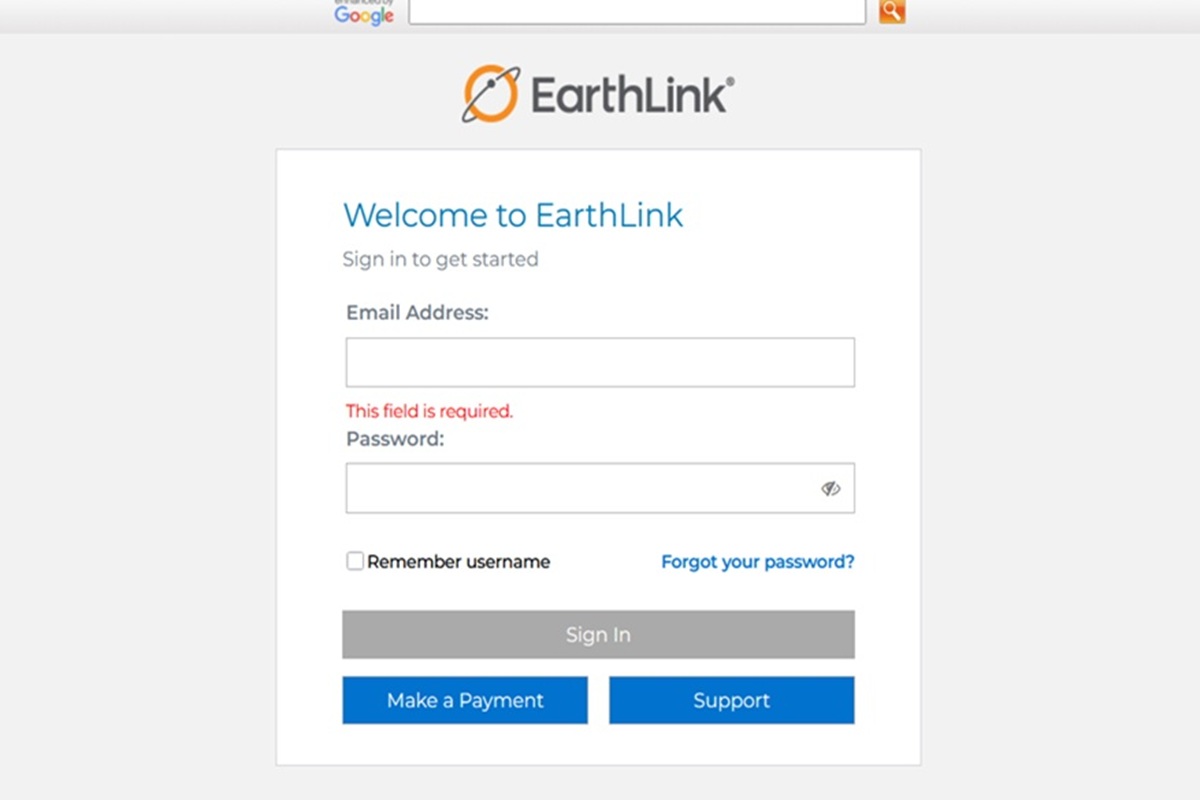
How to Log in to EarthLink Webmail on Desktop.
Step-by-step:
- Go to the official EarthLink website
- Click the WebMail button in the top-right corner
- Enter your full email address (example: [email protected])
- Enter your password
- Click Login
You can also go directly to the Earthlink Webmail Login page here: https://webmail1.earthlink.net/
How to Log in to EarthLink Webmail on Mobile.
Step-by-step:
- Open your mobile browser on your phone
- Go to https://webmail.hosting.earthlink.net/#/login
- Enter your full email address (example: [email protected])
- Enter your password
- Tap Login to access your inbox
How to Log in to EarthLink Webmail by App.
Step-by-step:
- Open the Google Play Store on your Android phone
- Search for myEarthLink Mail
- Download and install the app
- Open the myEarthLink Mail app
- Enter your full email address (example: [email protected])
- Enter your password
- Tap Login or Sign In to access your inbox
If the app does not accept your password, double-check that you entered the full @earthlink.net address correctly and make sure there are no typing errors. If needed, reset your password from the EarthLink Webmail login page and then try again in the app.
If login is successful, you will be redirected to your EarthLink inbox. If not, proceed to the troubleshooting section below.
EarthLink Webmail Login Troubleshooting
If your EarthLink Webmail login is failing, looping, or behaving unexpectedly, the issue is usually related to browser state, device settings, or account status—not just an incorrect password. The steps below are based on real-world login failures and how they are typically resolved.
Check Caps Lock and Keyboard Layout
Passwords are case-sensitive, so ensure that Caps Lock is not enabled. Also verify your keyboard layout, as symbols such as @ or ! may change depending on region settings. Typing your password in a visible text field first can help confirm accuracy.
Watch for Similar Characters
Characters like lowercase “l”, uppercase “I”, and the number “1” can easily be confused. If you are copying and pasting your password, make sure there are no extra spaces at the beginning or end.
Disable VPN or Proxy Connections
EarthLink may block logins from unusual IP addresses or rapid location changes. If you are using a VPN, disconnect it and try logging in again. Many login issues are resolved simply by returning to your normal connection.
Check Browser Extensions and Ad Blockers
Some browser extensions can prevent the login page from loading correctly. If you see a blank screen or broken login form, disable extensions temporarily or try a different browser.
Use Incognito Mode
Private browsing mode ignores stored cookies and session data. If login works in Incognito but not in your regular browser, clear your cache and cookies to fix the issue permanently.
Fix Blank White Screen on Login Page
If the login page appears completely blank, perform a hard refresh (Ctrl+F5 or Cmd+Shift+R). If that does not work, clear your browser cache for the last 24 hours.
Reset Your Network Connection
If the page is stuck on loading, restart your modem/router or switch networks. On mobile, toggling Airplane Mode can refresh your connection.
Check Device Time and Date
If your system clock is incorrect, login sessions may fail due to security mismatches. Set your device to update time automatically.
Account Lockout After Failed Attempts
EarthLink may temporarily lock your account after multiple failed login attempts (usually around five). Wait 30 minutes before trying again, or use the password reset option.
“Invalid Username or Password” Error
If you are certain your credentials are correct, this error may indicate account suspension or billing issues. Log into the EarthLink customer portal to check account status.
“Session Expired” Error
This usually happens when your browser session conflicts with server authentication. Clearing cookies or syncing your device clock typically resolves it.
Repeated Security Questions
If EarthLink keeps asking security questions, it may detect a new device or location. This is common when using private browsing or clearing cookies frequently.
Password Reset and Recovery
How to reset your EarthLink password
Click the Forgot Password link on the login page. Enter your email address and follow the prompts to answer security questions or verify your identity. Once verified, you can create a new password.
If you cannot answer your security questions, you may need to contact EarthLink support for manual verification.
Using EarthLink Webmail with Email Apps
You do not need to use Webmail every time. EarthLink email works with email clients such as Outlook, Apple Mail, and tools like eM Client.
This allows you to access your email faster and manage multiple accounts in one place.
How to Contact EarthLink Webmail Customer Service
Phone Support (24/7 Availability)
For immediate technical assistance with EarthLink Webmail, you can reach the main support line at 1-888-327-8454. This line is available 24 hours a day, 7 days a week to help with password resets, server configuration errors, and general mailbox troubleshooting. If you are calling regarding new sales or service upgrades, you should instead dial 1-866-383-3080 to reach the dedicated enrollment team.
SMS Text Support
If you prefer to resolve your email issues via text message rather than a phone call, EarthLink offers a dedicated SMS support line at 1-833-458-4360. You can also try their secondary text-to-chat number at 1-888-441-9144 to reach an agent for quick account inquiries. These text lines are particularly useful for receiving step-by-step instructions that you can reference on your screen while troubleshooting your mailbox settings.
Live Chat & Web Support
EarthLink provides a robust 24/7 live chat service which can be accessed directly at www.earthlink.net/live-chat. This is often the fastest way to get help while you are already working on your computer, as it allows agents to share direct links to help articles and resources. For self-service, you can also browse the extensive knowledge base at help.earthlink.net, which contains illustrated guides for every major email client.
Email & Abuse Reporting
While EarthLink has moved most general customer service to phone and chat for better security, they still maintain a dedicated email for security issues at [email protected]. This address should be used specifically for reporting phishing attempts, hacked accounts, or suspicious emails that appear to be targeting EarthLink subscribers. For all other account-related questions, EarthLink recommends using the Customer Portal or the live chat feature to ensure your personal data remains protected during the interaction.
Social Media Support Channels
The EarthLink social media team is active on several platforms and can often assist with general questions or service status updates. You can find them on X (formerly Twitter) at @EarthLink or visit their official Facebook page at facebook.com/earthlink. While these channels are great for public feedback and quick questions, you should avoid sharing sensitive account details like passwords or billing numbers in public comments or direct messages.
Mailing & Corporate Addresses
For official written correspondence or legal inquiries, the EarthLink corporate headquarters is located at:
980 Hammond Drive NE, Suite 400, Atlanta, GA 30328.
If you need to mail a physical check for your service, you must use the specific billing address at EarthLink Inc., PO Box 790216, St. Louis, MO 63179-0216.
Always include your full email address and account number on any physical mail to ensure it is processed correctly by the administrative team.
Tips for Common EarthLink Webmail Problems
Tip: If your old EarthLink or Netcom-era address will not log in, first confirm the account is still active
A recurring Reddit problem is people trying to sign in to very old EarthLink-related addresses, especially older legacy domains, only to find that Webmail does not accept them. In many of these cases, the bigger issue is not the login page itself, but whether the account is still attached to an active service or has been inactive for so long that the mailbox is no longer available.
The most practical first step is to try the current EarthLink Webmail login and then, if that fails, use the official password reset flow to see whether the address is still recognized. If the system does not recognize the account or the account has been inactive for years, you may need EarthLink support to confirm whether the mailbox still exists at all.
Tip: If Thunderbird or Outlook keeps rejecting the correct password, switch your focus from the password to the mail protocol
One of the more specific Reddit complaints involves EarthLink accounts failing in Thunderbird or Outlook even when the user is confident the password is correct. In practice, this often happens when the account is using the wrong protocol, the wrong server settings, or an older setup that never migrated cleanly to IMAP.
EarthLink’s support documentation says IMAP keeps mail in sync with EarthLink Web Mail, which is usually the better modern choice than POP for multi-device users. If your desktop app keeps failing, double-check the official EarthLink server settings and verify that the app is actually configured for the protocol you think it is using before you assume the password is wrong.
Tip: If Outlook suddenly starts syncing strangely, check whether your old POP account was silently converted to IMAP
Another Reddit issue involves Outlook behaving unexpectedly after a new PC setup or migration, especially when older EarthLink mail starts re-downloading or syncing in ways the user did not expect. That kind of behavior often happens when a long-time POP account is re-added as IMAP, which changes how the client handles server copies, folders, and old mail.
If you recently moved devices, compare the current Outlook account type against the one you used on the old computer. If you originally managed your EarthLink account as POP but the new machine is set up as IMAP, the mailbox can look and behave very differently even though the login itself appears successful.
Tip: If Webmail opens but sending or saving drafts fails, test another browser before changing account settings
There are Reddit reports of EarthLink Webmail loading normally but failing when users try to send a message or save a draft, especially in certain browser versions. When buttons gray out or nothing happens after clicking send, the problem is often browser-side rather than account-side.
Before you change your password or account setup, try another current browser and test again in a clean private window. If the issue disappears there, clear cache, disable problem extensions, and treat it as a browser compatibility problem instead of a mailbox problem.
Tip: If you enabled stronger account security and your mail app still does not ask for a code, look for an app-password style workflow
Reddit users also report confusion after turning on stronger security but finding that Thunderbird or other email clients do not prompt for the expected verification code. That usually means the desktop app is not doing the same interactive login flow that the browser does.
In situations like this, the fix is usually not to keep retrying the normal password in the app. Instead, check EarthLink account security options and support documentation to see whether the account now needs a separate authentication method for third-party mail clients, or whether you should test the login in Webmail first before trusting the mail app error.
Tip: If your EarthLink or Mindspring account keeps getting compromised, treat the mailbox as high-risk until you fully clean it up
Some Reddit users describe repeated hacking or password takeover problems on old EarthLink or Mindspring addresses that have been in use for decades. Older email accounts often become vulnerable because they were reused on many sites over the years, had weak recovery details, or remained active with outdated security habits.
If that sounds like your situation, do not stop at changing the password once. Change the password, review recovery settings, check forwarding rules and filters, sign out of old sessions if possible, and update any sites still tied to that mailbox. If the account is still central to your financial or identity recovery, move quickly and treat it as a priority account.
Tip: If login fails on the web but your mail app still works, do not assume the website is wrong
A pattern that shows up repeatedly in email support communities is that a mail app may continue working with cached credentials while the web login demands fresh authentication. That can make it feel like Webmail is broken even though the real problem is that the account password changed, the session expired, or the web login is enforcing stricter validation than the app.
In other words, a working mail app does not always prove that your web password entry is correct. If Webmail is rejecting you, manually type the password instead of relying on autofill, and then test the official reset path if you are unsure which credential is actually current.
Tip: If you think the account is suspended, check the EarthLink portal before assuming the mailbox was deleted
Old EarthLink users sometimes assume a login failure means the mailbox is permanently gone, when the problem is actually billing, account status, or portal-level suspension. EarthLink’s account documentation points users to the customer portal for account changes, and that is often the right place to verify whether the broader account is in good standing.
If your password seems right but Webmail still rejects you, sign in to the account portal if you can and look for service status, billing issues, or account alerts. This is especially important for long-time customers whose email account is tied to an EarthLink subscription rather than operating as a completely standalone mail product.
Tip: If password reset does not work the first time, use the official reset page and slow down
Reddit and support threads often show the same pattern: users try several different old passwords, get locked out, then rush through recovery without confirming the exact address tied to the account. EarthLink’s official support materials point users to the current forgot-password flow and explain that the reset starts by confirming the email address before moving to verification.
Use the official reset path, enter the full address carefully, and avoid stacking multiple failed login attempts right before recovery. Going slower often works better than trying three different browsers, five passwords, and two recovery attempts all at once.
Tip: If you are setting up EarthLink in an email client, use EarthLink’s own server settings instead of random blog values
A common cause of EarthLink login and send/receive trouble is that users pull settings from old forum posts or third-party setup pages that do not match the current support documentation. EarthLink maintains its own email server settings page and specifically notes that IMAP keeps messages in sync with Webmail.
That means the cleanest approach is to start with EarthLink’s official IMAP, POP, and SMTP settings and only troubleshoot from there. When setup values are wrong, users often waste time chasing password problems that are actually just server or port mismatches.
Earthlink Webmail FAQ.
Part 1: Login & Access
Where is the official login for EarthLink Webmail?
The direct URL is webmail.earthlink.net.
Can I sign in through the main EarthLink website?
Yes, by visiting earthlink.net and selecting the “WebMail” link in the top navigation bar.
What should I use as my login username?
You must enter your full email address (e.g., [email protected]) rather than just the prefix.
What is the Customer Portal used for?
Located at portal.earthlink.net, it handles billing, plan upgrades, and managing secondary email profiles.
Do legacy Mindspring or Netcom addresses still work?
Yes, these domains are fully supported and use the same login portals as EarthLink.
Does the “Remember Me” feature keep me logged in forever?
No, it typically keeps your session active for several days or until you manually log out or clear your browser data.
Which web browser is recommended for the best experience?
EarthLink is optimized for Google Chrome, Mozilla Firefox, Apple Safari, and Microsoft Edge.
Is there a mobile-friendly web login?
Accessing the standard login URL on a mobile browser will automatically serve a responsive version of the interface.
How do I switch between different EarthLink accounts in the same browser?
You must log out of the current account first, as EarthLink does not support simultaneous multi-account sign-in in one window.
What if the login screen is unresponsive?
Check your internet connection and verify that JavaScript is enabled in your browser settings.
Part 2: Troubleshooting Sign-In Issues
Why is the login page appearing as a blank white screen?
This usually indicates that your browser is blocking EarthLink cookies. Check your privacy settings and ensure EarthLink is whitelisted.
What is the procedure for a forgotten password?
Select the “Forgot Password” link on the login page to verify your identity through your security questions or a secondary email.
Why does my password fail on Webmail but work in my mail app?
The web interface is sensitive to case; ensure Caps Lock is off and that you aren’t using an outdated auto-filled password.
Will I be locked out after multiple failed login attempts?
Yes, EarthLink implements a temporary security lockout (usually 30 minutes) if too many incorrect passwords are entered.
What does “Invalid Username or Password” signify if I know they are correct?
It may mean your account is suspended for billing or has been flagged for a security review.
How can I fix a “Session Expired” error that occurs immediately after logging in?
Ensure your computer’s date and time are set correctly, as mismatched timestamps can invalidate security tokens.
Can using a VPN prevent me from logging in?
Occasionally. If EarthLink’s security filters flag a VPN’s IP address as high-risk, you may need to disable the VPN to access your mail.
What should I do if my account is marked “Suspended”?
Log into the Customer Portal to check for payment issues or call EarthLink billing support directly.
Is there a way to bypass the “Recaptcha” if it keeps failing?
Try using a different browser or an “Incognito/Private” window to clear potential extension conflicts.
Why does EarthLink keep asking for my security questions?
This occurs when Multi-Factor Authentication (MFA) is enabled and you are logging in from a new device or IP address.
Part 3: EarthLink Mobile Apps
What is the official app for iPhone users?
The app is called “myEarthLink Mail” and is available in the Apple App Store.
Is there an Android app for EarthLink?
Yes, search for “myEarthLink” in the Google Play Store to download the latest version.
Do I need a separate login for the myEarthLink app?
No, use your standard email address and password to sign in.
Can I manage billing through the myEarthLink app?
Billing is handled through the “EarthLink Connect” app or the web-based Customer Portal, not the Mail app.
Does the app provide push notifications?
Yes, push alerts for new mail can be configured within the app’s settings menu.
Are my webmail contacts available in the mobile app?
Yes, the app synchronizes your EarthLink Address Book automatically.
Can I use the app with a hosting-only email domain?
Generally, the myEarthLink app is reserved for consumer subscriber domains like @earthlink.net or @mindspring.com.
How do I sign out of the mobile app?
Tap the gear icon to open Settings, then scroll to the bottom to find the “Logout” button.
Why is the app sync slower than my computer?
Mobile apps use different fetch intervals; you can pull down on the inbox list to force a manual refresh.
Can I access my “Files” storage through the mobile app?
Storage access is limited in the app; for full file management, the desktop web interface is recommended.
Part 4: Outages & Service Status
How do I verify if the EarthLink servers are down?
Visit status.earthlink.net or check third-party monitors like Downdetector.
What are common symptoms of an outage?
Extended loading times, “Server Not Found” messages, and the inability to send or receive messages across all devices.
Where can I find an outage map?
Services like Outage.Report provide user-submitted data to show regional service disruptions.
Should I reset my password if there is an outage?
No. Changing your password during an outage can lead to synchronization errors once the service is restored.
Who should I contact if I suspect a localized outage?
Call EarthLink Support at 1-888-327-8454 to report the issue to technical staff.
Part 5: Reactivation & Cancellation
How do I reactivate an inactive mailbox?
Logging into the Webmail interface typically triggers an automatic reactivation if the account is still in “stale” status.
What is EarthLink’s inactivity policy?
Accounts that are not accessed for 90 days are marked “stale,” and incoming mail delivery is paused.
Can I recover emails sent to me while my account was inactive?
No, mail sent to a stale account is bounced back to the sender and cannot be retrieved.
What is the phone number to cancel my service?
Cancellations must be handled over the phone at 1-800-817-5508.
Part 6: Earthlink.Net SMTP Email Settings (IMAP, SSL, POP3)
EarthLink Webmail Outgoing SMTP Settings:
Use these settings if you are configuring EarthLink on a desktop client like Outlook, Thunderbird, or a mobile mail app. Remember that Authentication must be checked for the outgoing server to function.
| Configuration Field | Required Value |
|---|---|
| Outgoing Server Name | smtpauth.earthlink.net |
| Port Number | 587 (Recommended) or 465 |
| Security Protocol | STARTTLS (for Port 587) or SSL/TLS (for Port 465) |
| Authentication Required? | Yes (Enable “My outgoing server requires authentication”) |
| Username | Your full email address (e.g., [email protected]) |
| Password | Your standard EarthLink account password |
EarthLink Webmail Incoming Mail Settings (IMAP & POP3):
For the most reliable experience, we recommend using the IMAP settings. This ensures that when you delete or move an email on one device, the change is reflected everywhere else, including the EarthLink Webmail portal.
| Configuration Field | IMAP (Recommended) | POP3 (Legacy) |
|---|---|---|
| Server Hostname | imap.earthlink.net | pop.earthlink.net |
| Port Number | 993 | 995 |
| Security Protocol | SSL/TLS | SSL/TLS |
| Username | Full email address | Full email address |
| Password | Your standard password | Your standard password |