
Access Roadrunner Email Login: RR.com Email and Spectrum Webmail Sign In
Roadrunner Email.
Everything you need to know about the now defunct Roadrunner Email Login, Charter.net Email and TWC Email Login services, and how to access your Roadrunner Email account from your mobile phone or desktop.
Read the RR.com Email FAQ here, and the Ultimate Roadrunner Email FAQ here (Covers all questions).
- For the Charter Email Login page, go here.
- For the Roadrunner Email Login page, go here.
- For the TWC Mail Login page, go here.
Learn what happened to the original Roadrunner and TWC email services, and whether you can still use your old account.
We have also provided information about up-to-date information about the correct email IMAP/POP3 SMTP settings when setting up your email up your email on your mobile phone.
GO TO EMAIL LOGIN or SUPPORT/FEEDBACK
Roadrunner Email Login Problems? Watch this Video.
Why this Website is Necessary?
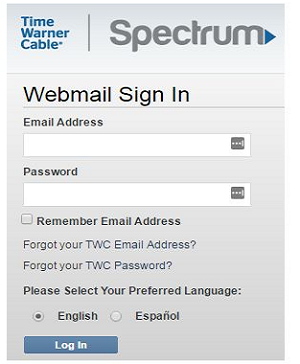
It clearly became obvious to us that there is a huge information need for former Roadrunner customers and Time Warner Email customers left in a lurch by Charter Communications buy-out of Time Warner Cable in 2015.
The Roadrunner name was re-branded as Spectrum Webmail, but many customers were not clearly informed about the change.
This meant that they kept coming back to the oirginal Roadrunner Email and TWC Email login pages, that they had bookmarked in their browser, but simply did not exist anymore.
This is where we come in: Roadrunner users can ask questions here and solve problems, that are not dealt with by the Spectrum Support. For starters, the new official Roadrunner login page can now by found at this direct link: https://www.spectrum.net/login/
Don’t bother trying your old RR.com or www.roadrunner.com login pages. These have simply been removed.
What We Do.
We are simply a free online help service for former users of Roadrunner. We are not affiliated with or owned by Roadrunner, which is now fully defunct.
Simply state your question or problerm in the comment section below this page, and we will answer as best as we can.
Table of contents
- Roadrunner Email.
- Roadrunner Email Login Problems? Watch this Video.
- Why this Website is Necessary?
- What is Roadrunner?
- Roadrunner Email Sign Up/TWC Email Sign Up.
- Roadrunner Email Login.
- TWC Email Login.
- Charter.net Email Login.
- Roadrunner Email Scams/TWC Email Scams.
- Roadrunner Password Reset.
- Roadrunner Login Problems.
- Roadrunner Email/Spectrum Webmail Settings For Apple iOS Devices.
- Roadrunner Email/Spectrum Webmail Settings For Android Devices.
- Roadrunner Email/Spectrum Webmail Settings for Microsoft Outlook.
- Roadrunner Webmail/TWC Email Contact Information.
- Roadrunner Email (RR.com Email) - Common Problems.
- What is Roadrunner email?
- How do I create a Roadrunner email account?
- What are the Roadrunner email settings?
- How do I log in to my Roadrunner email account?
- How do I send and receive emails from my Roadrunner email account?
- How do I organize my emails in my Roadrunner email account?
- How do I manage my Roadrunner email account settings?
- How do I troubleshoot Roadrunner email problems?
- Common Roadrunner email problems and solutions.
- Complete FAQ - Roadrunner Email & Spectrum Webmail
- General Account & Brand Information
- Does Roadrunner email still exist in 2026?
- What is Roadrunner email primarily used for today?
- Is roadrunner.com a valid email domain for new subscribers?
- Who controls Roadrunner email services following the mergers?
- What is happening with Roadrunner email in the long term?
- Is rr.com webmail the same as Spectrum Webmail?
- Why is mail.twc.com now redirecting me to spectrum.net?
- What is the safest email account to have compared to Roadrunner?
- What is the most hacked email service according to security forums?
- Do old unused Roadrunner email accounts get deleted by Spectrum?
- Login, Access & Mobile Setups
- What is the correct Roadrunner email login url for desktop users?
- How do I log in to my Roadrunner email account on a mobile phone?
- Is there a dedicated Roadrunner email app available for download?
- How do I log in to mail.twc.com email accounts today?
- How do I log in to brighthouse.com email via the Spectrum portal?
- What is the Charter Email Login url and how do I use it?
- Why is mail.charter.net not working for my browser?
- How do I access my old Roadrunner email account if I forgot my regional suffix?
- How do I access my Roadrunner email if the website is blocked at work?
- Can I stay logged in to Roadrunner email on my home computer?
- Regional Roadrunner Email Settings Table
- Do regional Roadrunner email accounts still work in all states?
- How do I update my regional Roadrunner email settings for a new phone?
- Is @maine.rr.com still supported for new devices?
- Are there specific neo.rr.com settings for North East Ohio users?
- Can I still use the triad.rr.com domain for my business?
- Is @wi.rr.com the only domain for Wisconsin Roadrunner users?
- Password & Account Recovery
- Technical & Server Settings (IMAP/SMTP)
- What are the correct Roadrunner email settings for IMAP?
- What are the Roadrunner SMTP settings for outgoing mail?
- What is the difference between Roadrunner POP3 and IMAP settings?
- Why is my Roadrunner email not sending messages on my iPhone?
- What are the Spectrum webmail port numbers for secure access?
- Migration & Forwarding
- Support & Troubleshooting
- How do I contact roadrunner email customer service?
- What is the spectrum webmail customer service phone number?
- What is the spectrum webmail customer service mail and email address?
- Is roadrunner email down and how do i check if its down?
- Why is mail.twc.com now redirecting my to spectrum.net?
- What is the Charter Email Login url and how to i Login to my Charter email account?
- Why is mail.charter.net not working anymore for my old settings?
- How do I stop my Roadrunner email from marking legitimate mail as spam?
- What should I do if my Roadrunner email is sending out spam automatically?
- Why can't I see my Roadrunner email folders on my tablet?
- How do I fix a "Server Timeout" error in my Roadrunner mail?
- How do I delete large amounts of mail at once in Spectrum webmail?
- Why am I getting a "Mailbox Full" error when I still have space?
- Can I use Roadrunner email with a third-party app like Gmail on Android?
- How do I verify if a "Roadrunner Security" email is a scam or phishing?
- Does Spectrum offer a "Roadrunner Email" recovery tool for deleted messages?
- Roadrunner Email Resources.
- General Account & Brand Information
What is Roadrunner?
The Roadrunner brand was a major force in the internet’s infancy, operating under the ownership of Time Warner Cable and offering various services, including Roadrunner Webmail. However, a re-branding in 2012 saw the end of the Roadrunner name, which was replaced by Time Warner Cable (TWC) branding and TWC Email.
Further change followed when Charter Communications purchased TWC in 2016. This ultimately led to them bringing a range of different services – and both the Charter and TWC infrastructures – together under the new Spectrum Internet brand. As a result, Roadrunner Webmail and TWC Email now operate under Spectrum’s name.
Despite this merger, however, old Roadrunner email addresses remain active and in-use.
Roadrunner Email Sign Up/TWC Email Sign Up.
How do I sign up for a Roadrunner Email account?
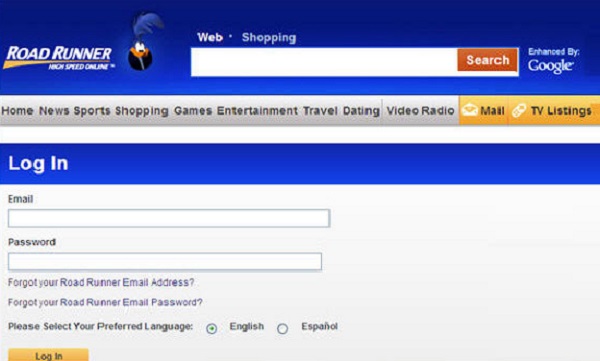
The old webmail.runner.com and RR.com login URLs no longer work. To create a new email account, you should instead go to www.spectrum.net and sign in using your username and password for that service. If you do not currently have a Spectrum account, you can also create one from that page by clicking ‘Create a Username’.
Once you have signed in to your Spectrum account, go to the menu icon in the top left of the screen and then click on ‘Manage Account’. Select ‘Internet’, followed by ‘Create Email Address’ and you should then see a prompt explaining what your new email address will be. This should resemble: [email protected].
Click on the ‘Create Mailbox’ button underneath and you will be asked to enter your password. This is the same password you use to sign in to the Spectrum service itself. To complete the sign up, click on the ‘Finish’ button and then click on the ‘Go to Mailbox’ button on the confirmation page that follows.
Roadrunner Email Login.
How do I log in to my Roadrunner Email or TWC Email Account?
It is important to first note that the old www.RR.com, mail.TWC.com, https://myservices.brighthouse.com/login and webmail.roadrunner.com URLs no longer work. They will either re-direct to the Spectrum login page, or the non-HTTPS versions display a timed out connection page instead, so you should update your old bookmarks.
This is how you log in to your Roadrunner Email account:
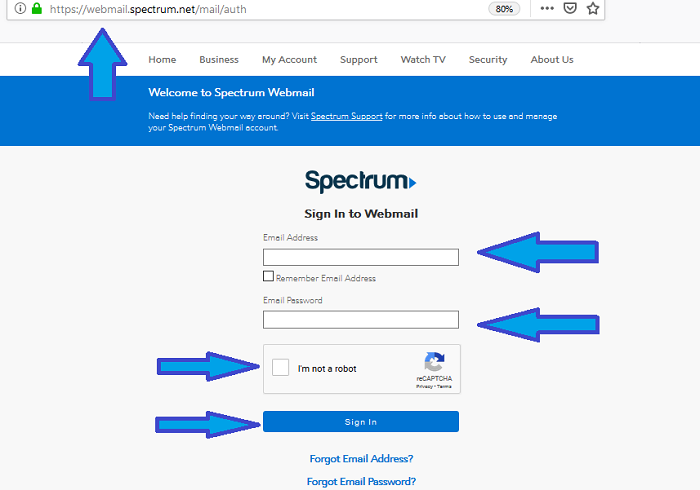
- The new sign in page to use is: https://webmail.spectrum.net/.
- Using this page, all you need to do is enter your username and password for your master account with Spectrum.
- Click on the ‘Sign In’ button. Once you have access to your account, you can check your email inbox by clicking on the envelope icon, which can be found near the top of the page.
There is also a dedicated Webmail login page, which functions in a similar way to the old RR.com login page and this can be ideal for those looking for a simple Roadrunner email login form.
The Spectrum Webmail page can be found at:
Using this form, rather than entering your Spectrum account details, all you need to do is enter your email address and the password associated with it, then click on the ‘Sign In’ button. If you use this particular Roadrunner email login method, you should be taken straight to your webmail inbox upon each successful sign in.
TWC Email Login.
How do I log in to my TWC email account?
This is how you log in to your TWC Email account:
- The new sign in page to use is: https://webmail.spectrum.net/.
- Using this page, all you need to do is enter your TWC Email username and password for your master account with Spectrum.
- Click on the ‘Sign In’ button. Once you have access to your Time Warner Cable Email account, you can check your email inbox by clicking on the envelope icon, which can be found near the top of the page.
Charter.net Email Login.
How do I log in to my Charter Email account?
This is how you log in to your Charter Email account:
- The new Charter.net Email login page is: https://webmail.spectrum.net/.
- Using this page, all you need to do is enter your Charter Email username and password for your master account with Spectrum.
- Click on the ‘Sign In’ button. Once you have access to your Charter Communications Mail account, you can check your email inbox by clicking on the envelope icon, which can be found near the top of the page.
Roadrunner Email Scams/TWC Email Scams.
Beware, a number of websites and support phone numbers exist, that claim to be the official Roadrunner Email Support or TWC Email Support hotlines.
Avoid these, as they are know scam phone numbers that asks for money for email account recovery. These websites are not official support sites, and they cannot recover or access your account:
- Scam Website: www.roadrunneremail-login.com – Phone Number: 1-855-888-8325.
- Scam Website: www.emailsaccountrecovery.com – Phone Number: 1-888-254-9645.
- Scam Website: www.roadrunnersupport247.com – Phone Number: 1-888-254-9645.
- Scam Website: www.twcemaillogin.com – Phone Number: 1(866)748-5444.
- Scam Website: www.tech-help-support.com – Phone Number: 1-865-234-3001.
- Scam Website: www.roadrunneremail-login.com – Phone Number: 1-855-888-8325.
Roadrunner Password Reset.
I Have Forgotten My Roadrunner/TWC Email Password – How Do I Reset It?
In the event that you have forgotten your Roadrunner or TWC Email password, you can reset it through the Spectrum platform. From the main https://www.spectrum.net/login/ sign in page, you can access the password reset function by clicking on ‘Forgot Username or Password?’ or you can simply go to: https://www.spectrum.net/forgot/
You will need to provide some account information, so that Spectrum can verify that you are the rightful owner of the account. Examples of the type of information you may be asked for include your username and your ZIP Code. Once you supply this, simply follow the instructions provided to reset your password and regain account access.
Roadrunner Login Problems.
I cannot log in to my Roadrunner Email account or TWC Email account – What Could the Problem Be?
On rare occasions, users may run into difficulties when attempting to log in. The good news is that the majority of these issues have an easy solution, so the main obstacle is finding the exact cause. If you are unsure of where to start, it is best to run through some basic troubleshooting steps.
- A logical starting point is to check that your internet and wi-fi connections are working. To test this, try to access another website. If it does not load, the problem stems from your own connection, rather than Spectrum’s service.
- It is important to understand that the old URLs, such as RR.com and mail.TWC.com no longer work properly. Some of these URLs may re-direct, but even this is unreliable. For this reason, you should always use the current Spectrum login page, which can be found at: https://www.spectrum.net/login/.
- It is worth checking that you have entered your username and password combination properly. The password is case sensitive, so check that you have not accidentally included upper case or lower case letters in the wrong place and make sure CAPS LOCK is turned off. You should also make sure you have not accidentally included a SPACE by mistake. This is especially common if you copy and paste your password from a saved document.
- Occasionally, the Spectrum server itself may experience problems. You can test whether or not the Spectrum Email server is working by visiting: http://www.isitdownrightnow.com/spectrum.net.html
- If you have access to another internet-enabled device, such as a mobile phone, tablet or laptop, try logging in with that instead to see if it resolves the issue. If it does, the problem is likely to be with your device.
- Failing that, you might also want to try a different web browser, with Chrome and Firefox being two options. It might also be worth opening an ‘incognito’ or private browsing tab and attempting to log in using that. If this solves the problem, you may need to clear your browser’s cookies and cache and then restart it.
- Users who continue to experience problems may also want to try disabling all browser add-ons, as well as their anti-virus and ad-blocking software – at least temporarily. Ad-blocking software, in particular, has been known to interfere with certain login processes and can sometimes block important CAPTCHA codes.
Roadrunner Email/Spectrum Webmail Settings For Apple iOS Devices.
In order to set up Roadrunner or Spectrum Email on your iPhone or other iOS device, go to ‘Settings’ and then select ‘Passwords & Accounts’. From there, click ‘Add Account’, followed by ‘Other’ and then choose ‘Add Mail Account’.
You will need to enter some personal details, such as your name and the email address. Once you have done so, click ‘Next’. You will then need to adjust the email settings.
Your username is your full Spectrum or Roadrunner email address, complete with the suffix after the ‘@’ symbol and the password requested is the one you use for Spectrum Email. The remaining settings should be as follows:
- SSL – ‘On’
- Protocol – IMAP
- Incoming Email Server – mobile.charter.net
- Port – 993
- Outgoing Email Server – mobile.charter.net
- Port – 587
- Requires Authentication – Yes, or checked.
Once you have adjusted the settings properly, simply click ‘Save’ to complete the process.
Roadrunner Email/Spectrum Webmail Settings For Android Devices.
If you have an Android device, the settings you need to adjust are similar to those for iOS. To get there, open up the ‘App’ menu and then choose ‘Email’. Go to ‘Add Account’ and then choose ‘IMAP’. You will then need to enter your complete Spectrum or Roadrunner email address. Then, you will be prompted to adjust the email settings.
As with iOS, your username is your full email address – with the suffix – and your password is the password you use for Spectrum Email. The remainder of the settings are exactly the same as those listed above for iOS.
Roadrunner Email/Spectrum Webmail Settings for Microsoft Outlook.
The precise setup process for Microsoft Outlook is slightly more complicated, because it depends on the version of Outlook you have and whether or not automatic setup is available to you. Assuming you are using a version from 2013-2019, automatic setup should be possible and this can be done in the following way:
- Within Microsoft Outlook, go to ‘File’, then ‘Info’ and select ‘Account Settings’, then ‘Account Settings’ again. Once there, click on the ‘Email’ tab and then select ‘New’. Go to the ‘Auto Account Setup’ option, which can be found under the ‘Email Account’ section, and enter the information requested.
- This will include your full name, your full Roadrunner or Spectrum email address and the password you use for Spectrum Email. You will need to enter the password twice and both entries will need to be an exact match.
- From there, click ‘Next’ and Microsoft Outlook should attempt to set up the account. If it is successful, a confirmation message will appear. If the attempt fails, Outlook will try a second time. If this also fails, you will need to use the manual setup process instead. This is outlined in more depth below.
- If your automatic setup attempt failed, or if your particular version of Microsoft Outlook does not support the automatic setup feature, you will need to use the manual setup process instead.
- To do this, go to ‘File’, ‘Info’, ‘Account Settings’ and then ‘Account Settings’ again. Choose the ‘Email’ tab and click on ‘New’. This time, select ‘Manual Setup’ and then click ‘Next’. You will need to choose ‘IMAP’ and then click ‘Next’ again. You should then be presented with a form for ‘User Information’.
- Enter your full name in the ‘Your Name’ box, followed by your full Spectrum email address in the next box. Then, move to the ‘Service Information’ section, select ‘IMAP’, and enter the following details:
Incoming Mail Server – mobile.charter.net
Outgoing Mail Server: mobile.charter.net
Username – Your full email address, complete with the suffix after the ‘@’ symbol.
Password – The password you use for Spectrum email.
Click on the option to use Secure Password Authentication, then click on ‘Test Account Settings’. Microsoft Outlook should then run a test and present its findings. Assuming all goes well, a confirmation message will appear. Simply click on ‘Next’ and then ‘Finish’ to complete the manual set up process.
Some of the options may have slightly different names on older versions of Microsoft Outlook. Nevertheless, the basic process for setting up your account, as well as the individual settings, should be the same.
Roadrunner Webmail/TWC Email Contact Information.
At times, it may be necessary to get in touch with the Roadrunner/TWC/Spectrum support team. Please note that there are a number of websites providing fake phone numbers, falsely claiming that they are official support numbers.
The official Roadrunner Webmail and Spectrum helpline is: 1-833-267-6094. The support team operating that line will be able to assist with most problems. If you would prefer to speak to the sales team, the number is: 1-877-906-9121.
If you cannot get through, try calling Spectrum Webmail support at: 1-855-70-SPECTRUM (855-707-7328).
Or contact Spectrum on Twitter at: @Ask_Spectrum
Facebook Support staff can be reached at: https://www.facebook.com/Spectrum.
The number to call, if you were originally a Time Warner Cable customer, is:
Time Warner Customer Support: 1-800-892-4357.
The number to call, if you were originally a Time Warner Cable customer, is:
Bright House Customer Support: 1-855-222-0102.
Alternatively, if you would rather avoid the phone, live chat is also available. To access this, visit the main ‘Contact Us’ page at: https://www.spectrum.net/contact-us/ and scroll down to ‘Ask Spectrum’. From there, click on the button labelled ‘Launch Ask Spectrum’ and you will have options to speak to a human agent or the virtual assistant.
Your question or problem may also be covered by the Spectrum Support pages on the website. This section of the site can be found at: https://www.spectrum.net/support/category/internet/.
If your issue is specifically linked to attempts to sign in to your account, it may be best to read the help page at:
https://www.spectrum.net/support/manage-account/spectrumnet-sign-help.
Finally, you are also able to access support from within the My Spectrum App. To find out more, head over to:
https://www.spectrum.net/support/manage-account/my-spectrum-getting-started.
Roadrunner Email (RR.com Email) – Common Problems.
For the complete Roadrunner Email FAQ, please scroll to the bottom of the page.
What is Roadrunner email?
Roadrunner email is a web-based email service provided by Spectrum. It has a number of features, including spam filtering, virus protection, an address book, a calendar, and a to-do list.
How do I create a Roadrunner email account?
To create a Roadrunner email account, you must be a Spectrum customer. Once you have subscribed to Spectrum internet service, you can create an email account by visiting the Spectrum website and clicking on the Create an Account button.
What are the Roadrunner email settings?
The Roadrunner email settings are as follows:
Incoming mail server: pop.spectrum.net
Outgoing mail server: smtp.spectrum.net
Incoming mail port: 995
Outgoing mail port: 587
Authentication: Required
Security: SSL/TLS
How do I log in to my Roadrunner email account?
To log in to your Roadrunner email account, visit the Spectrum website and click on the Sign In button. Enter your Roadrunner email address and password and click on the Sign In button.
How do I send and receive emails from my Roadrunner email account?
To send an email from your Roadrunner email account, click on the Compose button and enter the recipient’s email address, subject line, and email body. Click on the Send button to send the email.
To receive emails, your email client will automatically check the Roadrunner mail server for new emails. You can also manually check for new emails by clicking on the Refresh button in your email client.
How do I organize my emails in my Roadrunner email account?
You can organize your emails in your Roadrunner email account by creating folders and labels. To create a folder, click on the Folders button and select Create New Folder. Enter a name for the folder and click on the Create button.
To create a label, click on the Labels button and select Create New Label. Enter a name for the label and click on the Create button.
You can then drag and drop emails into folders and labels to organize them.
How do I manage my Roadrunner email account settings?
To manage your Roadrunner email account settings, click on the Settings button. You can change your personal information, password, email settings, and other account settings.
How do I troubleshoot Roadrunner email problems?
If you are having problems with your Roadrunner email account, there are a few things you can try:
- Check your internet connection.
- Make sure you are using the correct email settings.
- Restart your computer and email client.
- Clear your browser’s cache and cookies.
- Try logging in to your Roadrunner email account on a different device.
- If you are still having problems, you can contact Spectrum customer support for assistance.
Common Roadrunner email problems and solutions.
Here are some of the most common Roadrunner email problems and solutions:
Problem: I can’t log in to my Roadrunner email account.
Solution: Make sure you are using the correct email address and password. If you have forgotten your password, you can reset it by clicking on the Forgot Password? link on the login page.
Problem: I’m not receiving emails.
Solution: Make sure your email client is set to check for new emails regularly. You can also try manually checking for new emails by clicking on the Refresh button in your email client.
Problem: I’m not able to send emails.
Solution: Make sure you are using the correct email settings. You should also check to make sure that your email attachments are not too large.
Problem: I’m getting a lot of spam emails.
Solution: You can use the Roadrunner email spam filter to reduce the number of spam emails you receive. You can also create filters to mark spam emails as junk.
Problem: I’m having trouble with my Roadrunner email account settings.
Solution: You can manage your Roadrunner email account settings by clicking on the Settings button. If you are having trouble with a specific setting, you can contact Spectrum customer support for assistance.
Is Roadrunner email shutting down?
No, Roadrunner email is not shutting down. However, Spectrum has rebranded all Roadrunner email addresses to Spectrum email addresses. If you have a Roadrunner email address, you can still log in to your account using your Roadrunner email address and password.
Complete FAQ – Roadrunner Email & Spectrum Webmail
Welcome to the most comprehensive guide for Roadrunner (RR.com) and Spectrum email users. This FAQ covers everything from legacy regional settings to modern login procedures and troubleshooting tips.
General Account & Brand Information
Does Roadrunner email still exist in 2026?
Yes, Roadrunner email accounts are still active for millions of legacy users who signed up through Time Warner Cable. While Spectrum no longer issues new @rr.com addresses, they continue to maintain the infrastructure for existing account holders. You can still send and receive emails normally as long as you maintain your Spectrum internet subscription.
What is Roadrunner email primarily used for today?
Most users continue to use their Roadrunner email for primary communications, including banking, online shopping, and official correspondence. Because many users have had these accounts for decades, they serve as a critical digital identity. It is fully integrated into the Spectrum ecosystem, allowing for seamless use alongside other Spectrum services.
Is roadrunner.com a valid email domain for new subscribers?
Roadrunner.com is no longer available as a choice for new email registrations. If you are a new Spectrum customer, you will be assigned a @spectrum.net email address instead. However, the roadrunner.com domain remains a valid and functional domain for receiving and sending mail for those who already own an account.
Who controls Roadrunner email services following the mergers?
The Roadrunner email service is owned and operated by Charter Communications under the Spectrum brand. This transition occurred after Charter acquired Time Warner Cable and Bright House Networks several years ago. All technical support, server maintenance, and security updates are now handled by Spectrum’s corporate IT teams.
What is happening with Roadrunner email in the long term?
Spectrum is gradually migrating all legacy Roadrunner users to a more unified backend system to improve security and reliability. While your email address suffix (like @nc.rr.com) won’t change, the login portals and server settings are being standardized. This ensures that old accounts can support modern encryption standards and mobile device syncing.
Is rr.com webmail the same as Spectrum Webmail?
For all intents and purposes, rr.com webmail and Spectrum Webmail are the same service. When you attempt to log in to an old Roadrunner portal, you are redirected to the unified Spectrum login page. All legacy Roadrunner, TWC, and Bright House accounts now share the same web-based interface and features.
Why is mail.twc.com now redirecting me to spectrum.net?
The redirection from mail.twc.com to spectrum.net is part of Spectrum’s effort to consolidate their web presence. By using a single secure portal, Spectrum can more effectively manage user authentication and protect against cyber threats. Users should update their bookmarks to webmail.spectrum.net to avoid potential redirection errors in the future.
What is the safest email account to have compared to Roadrunner?
While Roadrunner is secure for basic use, many users consider independent providers like Gmail or ProtonMail to be “safer” because they aren’t tied to an ISP. If you move house or change internet providers, you risk losing your Roadrunner account, whereas an independent account stays with you. Additionally, modern providers often offer more robust two-factor authentication (2FA) options than legacy ISP mail.
What is the most hacked email service according to security forums?
Historically, older platforms like Yahoo and AOL have been cited in forums as frequent targets for large-scale breaches. Roadrunner and other ISP emails are often targeted through “credential stuffing” because users tend to keep the same password for years. To prevent being a statistic, it is vital to use a unique, complex password for your Spectrum account.
Do old unused Roadrunner email accounts get deleted by Spectrum?
Yes, Spectrum policies indicate that email accounts showing no activity for six months or more may be flagged for deactivation. Furthermore, if you disconnect your Spectrum internet service, your @rr.com email is typically deleted within 30 to 60 days. Always ensure you have a backup of your important messages if you plan to change your service provider.
Login, Access & Mobile Setups
What is the correct Roadrunner email login url for desktop users?
The official URL for accessing your Roadrunner email on a desktop is webmail.spectrum.net. You can also navigate there by visiting the main Spectrum.net site and clicking on the “Email” link in the top menu. Using this direct URL ensures you are accessing the most secure and up-to-date version of the webmail interface.
How do I log in to my Roadrunner email account on a mobile phone?
To log in on a mobile phone, you can either use your device’s native mail app or access the Spectrum webmail portal via a mobile browser. When using a mail app like Outlook or Apple Mail, you must enter your full email address and the correct IMAP/SMTP settings. This allows you to receive push notifications and sync your calendar across your mobile devices.
Is there a dedicated Roadrunner email app available for download?
There is no standalone app specifically named “Roadrunner Email” in the Google Play or Apple App Stores. Spectrum encourages users to use the “My Spectrum” app for account management, but for email, you should use your phone’s built-in mail client. Simply add a new “Other” account in your phone settings using the Spectrum server details provided in this guide.
How do I log in to mail.twc.com email accounts today?
You can no longer log in directly through a TWC-branded site; you must use the Spectrum login portal. Enter your full @twc.com email address and your existing password into the fields at webmail.spectrum.net. Your folders, contacts, and historical emails will all be waiting for you in the new interface.
How do I log in to brighthouse.com email via the Spectrum portal?
Bright House users should navigate to the Spectrum webmail sign-in page and use their full @brighthouse.com credentials. The system automatically recognizes legacy Bright House accounts and routes them to the correct mailbox. If you experience issues, ensure you are not using an old “BHN” specific login URL that has been deprecated.
What is the Charter Email Login url and how do I use it?
The Charter email login URL is the same as the Spectrum portal: webmail.spectrum.net. Because Charter Communications is the parent company of Spectrum, all @charter.net users use the same sign-in infrastructure. Simply enter your Charter email and password to access your inbox and account settings.
Why is mail.charter.net not working for my browser?
If mail.charter.net is not working, it is likely because the server address has been retired in favor of the mobile.charter.net or webmail.spectrum.net addresses. Spectrum has updated its security certificates, and older URLs may trigger “insecure connection” warnings in modern browsers. Always use the updated Spectrum webmail link to ensure a successful and secure connection.
How do I access my old Roadrunner email account if I forgot my regional suffix?
If you have forgotten whether your email ends in @nc.rr.com, @ca.rr.com, or another variation, you can find this info on your monthly Spectrum bill. You can also try logging into the Spectrum.net “Account Management” section with your primary username to see all associated email aliases. Knowing the exact regional suffix is required for the login to be successful on the webmail portal.
How do I access my Roadrunner email if the website is blocked at work?
If the Spectrum webmail site is blocked by a corporate firewall, you might try using a reputable VPN to bypass the restriction. Alternatively, if your company allows it, you can sync your Roadrunner mail to a third-party client like Outlook or a mobile device using cellular data. Be sure to follow your employer’s IT policies regarding the access of personal email on work networks.
Can I stay logged in to Roadrunner email on my home computer?
Yes, on the Spectrum login page, there is a “Remember Me” checkbox that you can select before signing in. This uses a browser cookie to keep you authenticated for a certain period, so you don’t have to type your password every time. However, for security reasons, you should never check this box on a public or shared computer.
Regional Roadrunner Email Settings Table
Many Roadrunner users still use regional sub-domains. Use the table below to find the correct settings for your specific regional account.
| Region Name | Domain Example | Incoming Mail (IMAP) | Outgoing Mail (SMTP) |
|---|---|---|---|
| Hawaii Roadrunner | hawaii.rr.com | mail.twc.com | Port 993 | SSL | mail.twc.com | Port 587 | Auth: Yes |
| Tampa Bay Roadrunner | tampabay.rr.com | mail.twc.com | Port 993 | SSL | mail.twc.com | Port 587 | Auth: Yes |
| Rochester Roadrunner | rochester.rr.com | mail.twc.com | Port 993 | SSL | mail.twc.com | Port 587 | Auth: Yes |
| Triad Roadrunner | triad.rr.com | mail.twc.com | Port 993 | SSL | mail.twc.com | Port 587 | Auth: Yes |
| Cincinnati Roadrunner | cinci.rr.com | mail.twc.com | Port 993 | SSL | mail.twc.com | Port 587 | Auth: Yes |
| Central Florida Roadrunner | cfl.rr.com | mail.twc.com | Port 993 | SSL | mail.twc.com | Port 587 | Auth: Yes |
| Maine Roadrunner | maine.rr.com | mail.twc.com | Port 993 | SSL | mail.twc.com | Port 587 | Auth: Yes |
| Wisconsin Roadrunner | wi.rr.com | mail.twc.com | Port 993 | SSL | mail.twc.com | Port 587 | Auth: Yes |
| North East Ohio RR | neo.rr.com | mail.twc.com | Port 993 | SSL | mail.twc.com | Port 587 | Auth: Yes |
| North Carolina Roadrunner | nc.rr.com | mail.twc.com | Port 993 | SSL | mail.twc.com | Port 587 | Auth: Yes |
| California Roadrunner | ca.rr.com | mail.twc.com | Port 993 | SSL | mail.twc.com | Port 587 | Auth: Yes |
| TWC New York | twcny.rr.com | mail.twc.com | Port 993 | SSL | mail.twc.com | Port 587 | Auth: Yes |
Do regional Roadrunner email accounts still work in all states?
Yes, regional Roadrunner accounts like @tampabay.rr.com or @rochester.rr.com are still fully operational across the United States. Spectrum has ensured that these legacy domains remain active even as they consolidate their server infrastructure. If you move to a new state but keep your Spectrum service, your regional email from your previous location should continue to work.
How do I update my regional Roadrunner email settings for a new phone?
When setting up a new phone, you should avoid using the “Automatic” setup for Roadrunner and instead choose “Manual Setup.” Enter the IMAP server as mail.twc.com and ensure that SSL is enabled for both incoming and outgoing connections. This manually ensures that you are using the correct ports (993 for incoming and 587 for outgoing) which are required for modern security.
Is @maine.rr.com still supported for new devices?
The @maine.rr.com domain is still supported and can be added to any modern smartphone or tablet using the standard Spectrum mail settings. While the “Maine” branding is gone from the corporate side, the domain suffix remains a valid part of your email address. Be sure to use your full @maine.rr.com address as your username during the setup process.
Are there specific neo.rr.com settings for North East Ohio users?
Users with neo.rr.com accounts should use the consolidated Spectrum server addresses (mail.twc.com) for the best results. Earlier regional servers like “pop-server.neo.rr.com” are being phased out and may result in intermittent connection errors. Updating to the universal TWC or Charter servers will provide a more stable and faster email experience.
Can I still use the triad.rr.com domain for my business?
Yes, if you have a legacy triad.rr.com account, you can continue to use it for your business communications. However, since Spectrum no longer offers new RR accounts, you won’t be able to create additional @triad.rr.com addresses for new employees. Many business owners eventually migrate to a custom domain for better branding while keeping their Triad account for personal use.
Is @wi.rr.com the only domain for Wisconsin Roadrunner users?
While @wi.rr.com is the most common domain for Wisconsin users, some older accounts may still have different variations based on the original local provider. Regardless of the specific Wisconsin sub-domain, the login process through Spectrum.net remains the same for everyone. If you have an older variation, it will still route through the standard Spectrum mail servers without issue.
Password & Account Recovery
How do I Change or reset a forgotten Roadrunner email password?
To reset a forgotten password, go to the Spectrum.net sign-in page and select the “Forgot Username or Password?” link. You will be prompted to verify your account using your phone number or the MAC address of your Spectrum equipment. Once verified, you can create a new password that will immediately apply to your Roadrunner email account.
How to recover road runner email if I’ve been locked out?
If you are locked out of your account, it may be due to multiple failed login attempts or a security hold by Spectrum. You can usually resolve this by using the “Password Reset” tool on the Spectrum website to prove your identity. If the automated tool doesn’t work, you will need to call Spectrum customer service to have a representative verify your details and unlock the account.
When did RoadRunner email stop working for some legacy users?
Roadrunner email typically stops working for users when they cancel their Spectrum internet subscription or if the account is flagged for a security breach. Some users also experienced “failures” when Spectrum updated their encryption, which required users to update their port settings from 110 to 993. If your mail stopped working suddenly, it is likely a setting issue rather than the service itself being discontinued.
What is the [email protected] email address for?
The [email protected] address was used in the past for automated account management and password recovery notifications. It is no longer an active support channel for human interaction and is largely replaced by the Spectrum “My Account” portal. You should not send help requests to this address, as you will likely receive a bounce-back or no response at all.
Can I recover an old Roadrunner email account that was deleted?
Recovering a deleted Roadrunner account is very difficult, especially if the account was closed more than 30 days ago. Spectrum generally purges the data from their servers after a grace period to free up space and maintain security. If the account was tied to an active Spectrum subscription that was recently interrupted, a customer service agent might be able to restore it if you act quickly.
Technical & Server Settings (IMAP/SMTP)
What are the correct Roadrunner email settings for IMAP?
The recommended IMAP settings for Roadrunner are to use mail.twc.com as the incoming server with port 993 and SSL enabled. IMAP is superior to the old POP3 protocol because it keeps your emails in sync across all your devices and the webmail server. Always make sure your username is entered as your full email address, including the @rr.com part.
What are the Roadrunner SMTP settings for outgoing mail?
The SMTP settings for sending mail from a Roadrunner account should be set to mail.twc.com on port 587. You must ensure that “Authentication Required” is set to “Yes” or checked in your mail client’s settings. Using port 587 with STARTTLS encryption is the current standard for ensuring your outgoing messages are delivered securely and not blocked as spam.
What is the difference between Roadrunner POP3 and IMAP settings?
POP3 downloads emails from the server to your device and often deletes them from the server afterward, which can lead to missing mail on other devices. IMAP keeps the emails on the server and simply shows you a “view” of them, allowing you to see the same inbox on your phone, tablet, and computer. Spectrum highly recommends using IMAP to avoid the confusion of fragmented email threads across different hardware.
Why is my Roadrunner email not sending messages on my iPhone?
If your iPhone can receive but not send emails, the most common culprit is an incorrect SMTP port or a missing password in the “Outgoing Mail Server” section. Many people leave the outgoing password as “Optional,” but Spectrum requires it for authentication on port 587. Ensure that the server name is mail.twc.com and that your full email and password are filled out in the SMTP settings.
What are the Spectrum webmail port numbers for secure access?
The most secure port numbers for Spectrum/Roadrunner webmail are 993 for incoming (IMAP) and 587 for outgoing (SMTP). Older ports like 110 and 25 are no longer recommended as they do not provide the necessary encryption to protect your data. Switching to these modern ports ensures your communications remain private while in transit across the internet.
Migration & Forwarding
How do i do roadrunner email and rr.com mail forwarding?
To set up mail forwarding, you must log in to the webmail.spectrum.net portal and go to the “Settings” menu. Under the “Email” or “Filters” tab, you will find an option for forwarding where you can enter a secondary email address like a Gmail account. Note that Spectrum may require you to verify the destination email before the forwarding becomes active.
How do I transfer my Roadrunner email to Gmail?
The easiest way to transfer your mail to Gmail is by using Gmail’s “Import Mail and Contacts” tool found in the Gmail settings. You will need to provide your Roadrunner login credentials and use the IMAP server (mail.twc.com) to allow Google to copy your messages. This is a smart move if you are planning to cancel your Spectrum service and want to keep your old messages.
How do I transfer my Roadrunner email to Outlook?
To transfer your mail to Outlook, you can add your Roadrunner account as an IMAP account within the Outlook desktop app or Outlook.com. Once both accounts are active in the same client, you can simply drag and drop folders from the Roadrunner server to your Outlook folders. This creates a permanent local or cloud-based backup of your Time Warner Cable era emails.
Can I merge multiple @rr.com accounts into a single inbox?
Spectrum does not provide a native “merge” tool for multiple legacy accounts, so you must handle this through forwarding or a mail client. You can set up your secondary accounts to forward all mail to your primary @rr.com address to view everything in one place. Alternatively, using a unified inbox feature in an app like Outlook or Thunderbird allows you to manage multiple Roadrunner accounts simultaneously.
How do I export my Roadrunner contacts to another provider?
To export your contacts, log in to the Spectrum webmail portal and navigate to the “Contacts” section. Look for an “Export” or “Save as” option and choose the CSV (Comma Separated Values) format. This file can then be uploaded into Gmail, Yahoo, or Outlook to instantly populate your new address book with your old Roadrunner contacts.
Support & Troubleshooting
How do I contact roadrunner email customer service?
The best way to contact Roadrunner customer service is by calling the general Spectrum support line at 1-833-267-6094. Since Roadrunner is a legacy brand, the agents who answer will be Spectrum representatives who are trained to handle all TWC and Bright House accounts. You can also use the live chat feature on the Spectrum website for faster assistance with common issues.
What is the spectrum webmail customer service phone number?
The primary phone number for Spectrum webmail technical support is 1-855-707-7328. This dedicated line is available to help you with login errors, server timeouts, and mailbox configuration problems. Be sure to have your Spectrum account number ready so the agent can quickly verify your identity and access your email records.
What is the spectrum webmail customer service mail and email address?
Spectrum does not offer a public email address for customer support, as they prefer to handle sensitive account issues via phone or secure chat. For formal written correspondence, you can mail Charter Communications at their corporate headquarters in Stamford, CT. However, for technical email issues, using the phone or chat options will result in a much faster resolution.
Is roadrunner email down and how do i check if its down?
If you suspect a service outage, you can check the status of Roadrunner email on third-party sites like DownDetector.com. You can also visit the official Spectrum Support page or check their social media handles for announcements regarding scheduled maintenance. Often, if the site won’t load, it is a local issue that can be fixed by restarting your router or clearing your browser cache.
Why is mail.twc.com now redirecting my to spectrum.net?
As Charter Communications consolidated its brands, they retired the old TWC URLs to simplify the user experience. Redirecting all users to spectrum.net allows the company to provide a more consistent security framework for all its customers. It is a permanent change, so updating your bookmarks and saved passwords to reflect the spectrum.net domain is highly recommended.
What is the Charter Email Login url and how to i Login to my Charter email account?
The Charter email login URL is webmail.spectrum.net, which serves as the unified entry point for all Charter-owned email domains. To log in, enter your full @charter.net address and your current password in the provided fields. If you have recently changed your Spectrum account password, it will be the same one you use for your Charter email access.
Why is mail.charter.net not working anymore for my old settings?
The old mail.charter.net server address has been largely replaced by mobile.charter.net for mobile devices and webmail.spectrum.net for browser access. If your mail app is failing to connect, it is likely because the old server doesn’t support the latest security protocols required by modern devices. Updating your incoming and outgoing server names to the current Spectrum standards will fix this connection error.
How do I stop my Roadrunner email from marking legitimate mail as spam?
If important emails are going to your spam folder, you should select the message and click the “Not Spam” or “Mark as Safe” button. You can also add the sender’s email address to your “Contacts” or “Safe Senders” list within the webmail settings. This tells the Spectrum spam filter that you trust this sender, ensuring their future messages arrive directly in your inbox.
What should I do if my Roadrunner email is sending out spam automatically?
If your contacts report receiving spam from you, your account has likely been “spoofed” or compromised. You must immediately change your password to a strong, unique one and check your “Sent” folder for unauthorized activity. Additionally, scan your computer for malware and check your webmail settings to ensure no unauthorized forwarding rules have been added.
Why can’t I see my Roadrunner email folders on my tablet?
Missing folders on a tablet usually mean the account was set up using POP3 instead of IMAP. POP3 only downloads the main “Inbox” and does not sync your custom sub-folders from the server. To fix this, delete the account from your tablet and re-add it as an IMAP account using the mail.twc.com server and port 993.
How do I fix a “Server Timeout” error in my Roadrunner mail?
A “Server Timeout” error usually occurs when your internet connection is unstable or when the Spectrum servers are temporarily overloaded. Try increasing the “Server Timeout” limit in your mail client’s advanced settings to 1 or 2 minutes. If the problem persists, try switching from your home Wi-Fi to a mobile hotspot to see if the issue is with your local network or the Spectrum server.
How do I delete large amounts of mail at once in Spectrum webmail?
In the Spectrum webmail interface, you can select the checkbox at the top of your message list to select all messages on the current page. To delete even more, you can often right-click on a folder (like “Trash” or “Junk”) and select “Empty Folder” to clear thousands of items instantly. This is the fastest way to clear out your storage if you are nearing your mailbox limit.
Why am I getting a “Mailbox Full” error when I still have space?
The “Mailbox Full” error sometimes counts the “Trash” and “Sent” folders toward your total storage quota. Even if your inbox looks empty, you may need to empty your “Trash” folder to permanently delete items and free up the reported space. If your folders are empty and you still get the error, contact Spectrum support to have them refresh your mailbox quota on the server side.
Can I use Roadrunner email with a third-party app like Gmail on Android?
Yes, you can add your Roadrunner account to the Gmail app on Android by choosing “Add Account” and selecting “Other.” Enter your @rr.com credentials and manually input the IMAP (mail.twc.com) and SMTP details. This allows you to manage your Roadrunner mail alongside your Gmail account in one unified mobile app.
How do I verify if a “Roadrunner Security” email is a scam or phishing?
Legitimate emails from Spectrum will never ask you to provide your full password or social security number via an unencrypted email link. Look for signs of phishing like poor grammar, urgent threats to delete your account, and a sender address that doesn’t end in @spectrum.net. When in doubt, never click the links in the email; instead, navigate directly to Spectrum.net to check your account status.
Does Spectrum offer a “Roadrunner Email” recovery tool for deleted messages?
Spectrum does not have a user-accessible “Undo Delete” tool once the Trash folder has been emptied. However, if you are using a desktop client like Outlook, you might be able to recover messages from a local backup or the “Deleted Items” folder on your PC. For critical data loss, you can contact Spectrum technical support to see if a server-level restoration is possible, though this is rarely guaranteed.
Roadrunner Email Resources.
Spectrum Webmail Login Page.
Spectrum.net Contact Us Page.
Spectrum Wikipedia.
Updated Roadrunner Email Help Page.
To ask a question, fill in the comment form below.
I have been logged out of my email address and when I try to log back in it says error get hold of administrator.
First, try logging in with another browser, like Mozilla, Microsoft Edge or Chrome, and clearing the cache and cookies in your browser.
Alternatively, try logging in in your browsers “Incognito Mode”.
If you are still getting the same error message, then try disabling all anti ad-blocking programs, browser extensions or all anti virus programs. Restart your browser, then try logging in again.
If this does not resolve your problem, then contact Spectrum Email on:
Twitter: @Ask_Spectrum
Facebook: facebook.com/Spectrum
Note: TWC EMail and Roadrunner is now called Spectrum Webmail and the official login page is at webmail.spectrum.com.
I have been logged out of my email address and when I try to log back in and it says error get hold of administrator
I assume its A Time Warner Cable TWC email address, if you are getting that message.
First try logging from webmail.spectrum.net.
Then, try to disable ad blocking programs (AdGuard). Disable all ad blocking programs, extensions or anti virus programs. Clear your browser cache, cookies, close your browser and try accessing your email again trough th same browser or another browser
If you are still having problem, contact customer service at:
@Forums_Help
Twitter: @Ask_Spectrum
Facebook:www.facebook.com/Spectrum
I somehow lost the icon for my roadrunner.com account and cannot get it back to sign in.
Roadrunner Email, and TWC Email, as brands, do not exist anymore. They are now called Spectrum Webmail. If you are hinting at a desktop icon for Roadrunner, then open the new login page at https://webmail.spectrum.net/, and save it as a Bookmark, or RIGHT click on the page and choose “Save As”. You can then save the page as a Desktop Icon.
If you want your Roadrunner Email account added to your Email App on your mobile phone, we have added instructions here: https://www.roadrunneremail-rr.com/roadrunner-email-settings
I can not get any of my email what is wrong
i got a new phone and it says i have to log into my Roadrunner account. I have tried every password I have ever used and it doent take it. It works great on my galaxy 8+but not my note 10+. How do i get the password reset? Dont say spectrum as they changed mine and it doesnt work for roadrunner.
To reset your Roadrunner password, visit https://pt.rr.com/ and click on “I don’t know my email password”.
On the next page, enter your email address. Click on “I’m not a robot and click on the submit button”.
Next you will be prompted to enter your Cable Modem ID (MAC address).
Locate you Cable Modem ID in the drop-down list.
Type your MAC address in the text box.
Select Security Verification Question and answer your securityv question.
Click on the Reset password.
On vacation and cannot get in my email.
Some email providfers block access from certain country IPs. Try logging in in “Incognito mode” in your browser”, or use a VPN or Proxy Ip that mimics logging in from your home country.
i had twc internet service since all of the changes i cannot get into my emails to read my mail whats going on help
Please read the section on “Roadrunner Login Problems” and follow it step-by-step.
Forgot my password4
Not able to get my email to work
I’m very disappointed with the switch from TWC to Spectrum email. Features have been lost. With TWC email I could click on a header (such as From or Subject or Date or Size) and email would be sorted, and displayed, based on that information. Click again and it is reversed. So I could see email from oldest to newest or newest to oldest. I could see email based on sender. This is no more and I consider it a major lose. Not only that, but email moved to a sub-folder shows up based on when it was moved, not on actual date. I have tried contacting Spectrum support about these issues but with no response and no one seems to care. Am I the only one that misses these features?
I have the very same issue and it is So irritating. Did anyone respond to you on how to fix this? Or is this just the way it has to be now?
Office 365 Outlook and Mozilla Thunderbird will no longer connect to the legacy Roadrunner pop-server.nyc.rr.com and smtp-server.nyc.rr.com servers nor will they connect to the mobile.charter.net servers, even with the new email configuration I received from Spectrum (similar to yours). I created a new email account using IMAP vs. Pop3 and even tried changing my Spectrum password as they suggested but no joy. I can still get my Roadrunner email using webmail.spectrum.net but I like to have the old emails on my computer for searching and reference. Any help would be appreciated.
If you get an answer I hope it is posted here. I used to use Eudora but can no longer connect to the pop server for san.rr.com.
I cannot get to my email acconnt, need help
We are moving to a new address where GREENLIGHT is available. My only dilema is that I don’t know if I can access my roadrunner email through this service provider. My husband was told that we have to stay with spectrum if we want to continue to use the RR email. Please advise!
Hi guys,
I recently heard of roadrunner. it’s a great tool apparently. which are the main differences from other email providers?
Who told you that? Roadrunner actually no longer exists as a separate entity. Spectrum bought Time-Warner and replaced roadrunner with it’s own Spectrum webmail which I think is a step in the wrong direction.
I have always logged in to our rr emails using the pop3 settings….NOT IMAP.
I recently created an account on an android phone and used the IMAP settings instead, and now the pop3 settings will no longer work on my desktop computer. I have changed that software (still using eudora) to the IMAP settings but hate it, but cannot seem to put it back to pop3.i have deleted all the accounts and tried starting over to no avail My other 2 rr emails are still working fine on the pop3 settings, which i STRONGLY prefer. I cannot find any master acct on spectrum that controls these rr email accounts. i do log into my spectrum acct but there are no settings for the emails………… help??
Spectrum Chat told me that there is no service which has kept the old Roadrunner mail and there is no way to access it.
Is this true?
I am able to log into my rr account through the webmail.spectrum account on a PC or Mac, but can only get the first page of emails. The rest won’t load. It works fine on my phone (I transferred the data for the email server from my old phone). However, I can’t print out anything from my phone.
My email program isn’t working! I can’t send to myself. If I call for help I’m told I must use the Spectrum webmail — IOW, come in and do everything there, and I can’t use my Outlook program. How can I write articles, search for links, in Webmail? Answer: I can’t.
I’m stumped by all that is going on with Spectrum. When I call for help nobody cares, and nobody knows anything — and they seem to think that having a computer with an email program called Outlook is a big crime, and everyone should be using Spectrum webmail for their email. That makes NO SENSE.
I am not a geek at all. I am a writer, and I am beside myself over losing my ability to write. What is the use of having a computer? What am I paying for? How can this company that claims to be Internet, charge me for what I’ve had and then just take it away?
This can’t be happening, but it is. I don’t understand. If only someone would tell me what’s going on. I’m so upset. I live in the country and I need my computer to communicate with the world. At least I can watch youtube. I don’t do Facebook or any of that. I just want my email program to work like it did. What can I do?
I cannot get into my account, do not remember my password or security verification answer
Need help getting into account
My @nyc.rr.com email is the one that is my go to email. I am going to cancel my Spectrum account but dont want to lose that address. is there anything to do that will let me keep that address?
My mom is trying to access her old roadrunner email acct. She does NOT remember her password nor she is able to remember her login information. She only recalls what her roadrunner email was.
Go to www pt.rr.com. Click on “I don’t know my email password”. Then, enter your email address, click on “Im not a Robot”, click “Submit” and follow the instructions.
I followed the instructions to reset my password, since I forgot it. I keep getting an error message and I cannot access my email from my desktop
I have a friend who needs to access her contact list from her Roadrunner account. Her name is Vivian DeWitt and her email address is (or was) vivianxxx @roadrunner.com. Is she still able to access that contact list?
I need instructions on how to set up my cinci.rr.com account on the mail app on an HP computer. I’ve attempted, but it doesn’t work.
How do I transfer my twc.rr.com account to another webmail
I cannot access my Roadrunner email. help me.
Every time I try to use the Spectrum link it converts to my Spectrum internet account instead of allowing me to access roadrunner email. It offers me to set up an email account with my existing account but that doesn’t make any sense. HELP!
Try logging in from another device or from another browser that does not have your Spectrum account details cached. Then log in with your Roadrunner Email account Username and Password.